To remove unused CSS in WordPress, identify style rules your tested pages do not need. Then generate page-specific used CSS and check interactive states before keeping the change. CSS controls a page’s appearance; a selector identifies the elements a style rule affects. Minification does not remove unused selectors. It removes unnecessary code formatting instead.
We recommend Novra Cache’s CSS optimization tools when you want minification, per-page used CSS and page caching in one plugin. Page caching keeps finished copies of pages. The CSS Safelist lets you preserve selectors needed after interaction.
Online used-CSS generation needs a valid, activated website license and a suitable public URL the service can reach. You still need to verify the result.
Choose the CSS fix that matches the problem
A stylesheet is a file containing CSS rules. A shared stylesheet may serve your homepage, contact form and shop, even when one page needs only part of it.
The key distinction is unused during this recording versus unnecessary everywhere. A closed menu tells you little about the styles its open panel needs.
| Operation | What it changes | What it does not do |
|---|---|---|
| Minify CSS | Removes unnecessary whitespace and comments from eligible files. | Identify unused selectors. |
| Remove Unused CSS | Generates used styles for an eligible URL through the online service. | Guarantee that every interactive state keeps its styles. |
| Load CSS Asynchronously | Loads full stylesheets differently, with critical CSS for the first visible screen where needed. | Replace minification or run as the other delivery choice simultaneously. |
| Async Transport | Sends generation jobs and checks for results without holding one long request open. | Control stylesheet loading in the visitor’s browser. |
Critical CSS means the rules needed for the first visible screen, not the complete page. Novra Cache offers unused-CSS removal and asynchronous stylesheet loading as alternative delivery methods.
For the “Reduce unused CSS” warning, investigate unnecessary rules first. If the page needs those rules, removing formatting alone will not resolve that particular issue.
Find the stylesheet and record a useful baseline
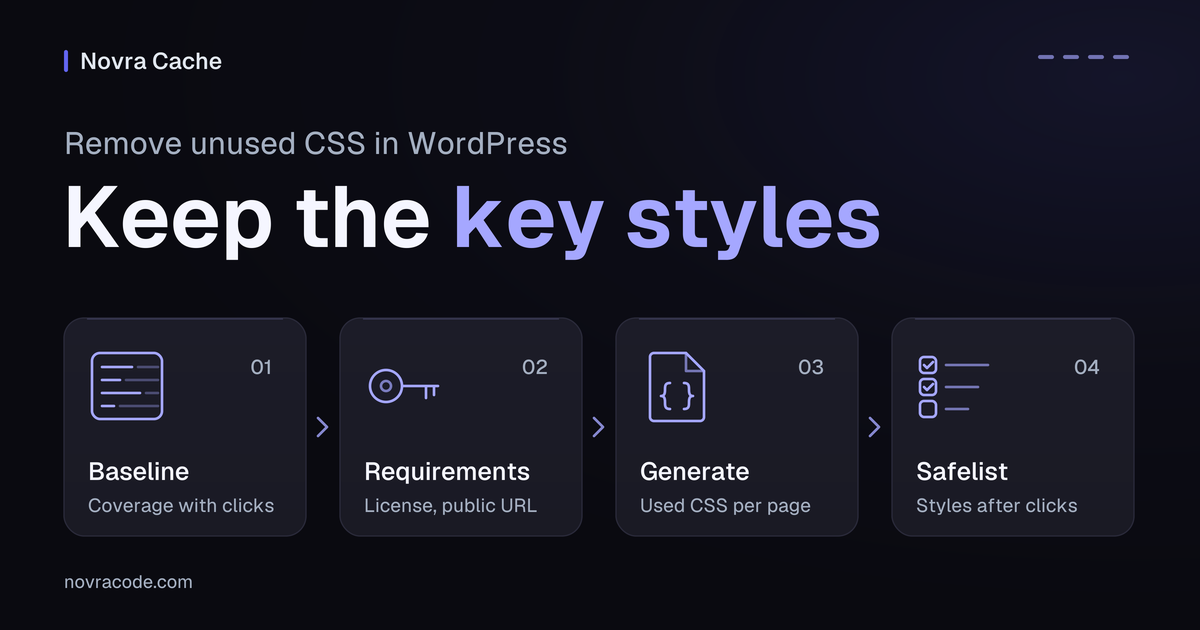
Back up your site and save its current settings before changing anything. Pick representative pages: your homepage, a content page, a form and a product page if relevant. Record how important interactions work now.
- Save the audit warning, affected page URL and stylesheet URL. Note which resource contributes the unnecessary bytes.
- Record the device and viewport, meaning the visible browser area. Include network conditions, login and cookie state, and whether cached copies already exist.
- Open Chrome DevTools, Chrome’s built-in inspection tools, and find the Coverage panel. Start its reload recording and filter the results to CSS.
- Keep recording while opening navigation, tabs, popups and forms. Scroll through the page and trigger relevant validation messages.
- Inspect a resource row to see the used and unused code. Repeat the recording at useful desktop and mobile widths.
Chrome’s Coverage recording guide explains the resource URLs, byte counts and source view. Treat these findings as evidence about the recorded states, not a global deletion list.
Separate cold-cache observations, where a cached copy is not yet available, from warm-cache repeat visits. Turning off the browser cache does not clear your website’s page cache or a content delivery network, which stores copies closer to visitors.
If you cannot reproduce an important state, pause before removing its styles. Keep the original files; do not replace your site’s CSS with the output of one Coverage recording.
Check the requirements before online CSS generation
Use a maintained WordPress installation and an administrator account. Check the current documented requirements for your environment before installing or updating Novra Cache.
- Activate a valid license for this website under Novra Cache → License. The online CSS service and license service must be reachable.
- Choose an authorized test environment with a suitable public page. Password protection, bot challenges or blocked requests can prevent the service from processing it.
- Keep private content and existing protections private. If the test URL is inaccessible, pause online generation instead of removing its access controls.
- Identify other tools already changing CSS delivery. Establish which tool owns that operation before testing; do not stack overlapping changes.
- Keep your existing page-cache setup stable during this CSS test. Do not add a second page-cache provider as part of the experiment.
The Novra Cache website-license requirements explain activation and status checks. No separate service API key is needed. A one-time license purchase does not make online generation an offline feature or guarantee uninterrupted service availability.
Generate used CSS and verify the result
Change one setting group, then verify the result. Keep your previous CSS settings recorded so you can restore them.
- Open Novra Cache → Settings → CSS. Enable Optimize CSS Delivery and choose Remove Unused CSS.
- Do not also select Load CSS Asynchronously. Leave Minify CSS and JavaScript settings unchanged during this test.
- Save the setting and refresh the affected cached page output. Visit an eligible public URL in a fresh logged-out session.
- Check the generation status. Eligible anonymous visits queue missing results; processing does not have a fixed completion time.
- Once the result is ready, revisit the page and inspect its delivered source. Completed used CSS is inserted into the HTML, while eligible original stylesheets are removed.
- Run the state checks below, then compare the same pages under the same conditions. Record resource bytes, visible stability and loading observations.
The Novra Cache CSS setup and safelist documentation describes these controls. Normal logged-in browsing is not a reliable check of the optimized anonymous output.
Pending or failed generation keeps the original HTML and CSS. This fallback does not guarantee working interactive styles. A completed result can still lack a rule needed after a click or tap.
Preserve styles needed after interaction
Illustrative example, not a recorded Novra test: a mobile menu looks correct while closed. After used-CSS generation, opening it reveals an unstyled panel.
- Compare the same menu with CSS delivery optimization temporarily disabled and the affected cached output refreshed.
- If that restores the panel, inspect its actual open-state selector and stylesheet rule. Establish whether the generated CSS omitted that rule.
- Add the missing selector to CSS Safelist, one selector per line. Preserve only rules you have identified as necessary.
- Regenerate the affected Used CSS, refresh the relevant cached output and repeat the test after generation completes.
A made-up open-state selector could look like this:
.site-menu.is-openThis selector is only an example, not a universal fix. Use the selector present on your site. If the rule was not omitted, investigate the actual cause instead of adding random safelist entries.
Test the open menu, not only the first screen. Check open and closed states, keyboard focus and the close control. Repeat on desktop, mobile and another page using the same menu.
The service receives desktop, tablet and mobile viewport context. That does not establish that every popup, hover state or checkout interaction was captured.
Test real page states, not just the first screen
Use a fresh logged-out session on representative public URLs. Follow the Novra Cache functional verification checklist, including the states relevant to your site:
- Desktop and mobile navigation, keyboard focus, hover states and sticky headers where present.
- Tabs, accordions, popups, sliders and content below the first screen.
- Consent choices, form submission and validation errors, search, login/logout and downloads where relevant.
- For shops, the store’s approved test flow: product variations, cart updates, coupons, shipping, payment selection and confirmation.
- Fonts, delayed content and visible layout movement on both slow and fast connections.
Keep cart, checkout and account behavior dynamic where required. Excluding a page from page caching does not automatically exclude it from every CSS optimization. Check personalized pages with their real cookies and states.
Keep the change only when important behavior remains correct and the observed benefit is worthwhile. A better audit score does not compensate for an unusable form or checkout.
Recover safely and refresh the right layer
If a page breaks, restore the previous CSS delivery setting first. Refresh the affected cached output, then confirm that the known-good layout and interactions return.
If that identifies missing generated styles, correct the responsible selector or safelist entry. Regenerate and repeat the same checks before keeping the optimization enabled. Otherwise, leave it disabled while investigating.
Regenerate Used CSS after style changes. A page-cache purge, which removes stored page copies, does not by itself rebuild generated CSS. After theme, layout or stylesheet changes:
- Regenerate the relevant Used CSS and check that processing completes.
- Refresh the affected page cache and any applicable server or content-delivery cache. Check whether the browser still has old assets.
- Revisit the same URLs and repeat the visual and functional checklist.
- Record the setting, affected URLs, conditions, observations and working rollback. Keep the known-good settings available.
A purge is not proof that generation or cache warming has finished. Cache warming means visiting pages in advance to prepare stored copies.
For generation timeouts behind a proxy, which forwards requests between systems, Async Transport may help. It sends jobs and checks their results separately. It does not fix an inactive license, blocked page access or missing interaction styles.
When a whole stylesheet is unnecessary on one page
Sometimes a page does not need a particular stylesheet at all. Novra Cache’s Script Manager can disable that file on a narrowly selected page.
First identify which plugin or feature owns the file and what depends on it. A contact-form stylesheet may still be needed by a footer or popup form.
Test a current-page rule first. Script Manager’s Testing Mode applies asset-disabling rules only to administrators. It is not a universal testing mode for Used CSS.
After checking the rule, turn Testing Mode off deliberately, refresh the relevant caches and verify an anonymous visit. Keep the rule narrow and reverse it if a required state fails. One recording does not justify disabling the file everywhere.
Common unused-CSS questions
Does minification fix the “Reduce unused CSS” warning?
No. Minification removes unnecessary formatting and comments, but a minified file can still contain rules your tested page does not use. Investigate those rules separately.
Why are the original stylesheets still present?
A pending or failed generation result can retain the original HTML and CSS. Check readiness, the activated license and page access before assuming the setting failed. Verify the output while logged out.
Do I need to reach zero unused CSS bytes?
No. Google’s guidance on unused CSS recommends focusing on meaningful improvements. Eliminating every unused rule may be impractical. Prioritize fewer unnecessary bytes while preserving the states your visitors need.
Can I generate used CSS behind a staging password?
Password protection can prevent the online service from reaching the page. Keep private material protected. Use an authorized, suitable public test URL or leave this step unverified until one is available.
Explore Novra Cache’s CSS tools, then validate one change on the pages your visitors actually use. Keep a known-good way back.