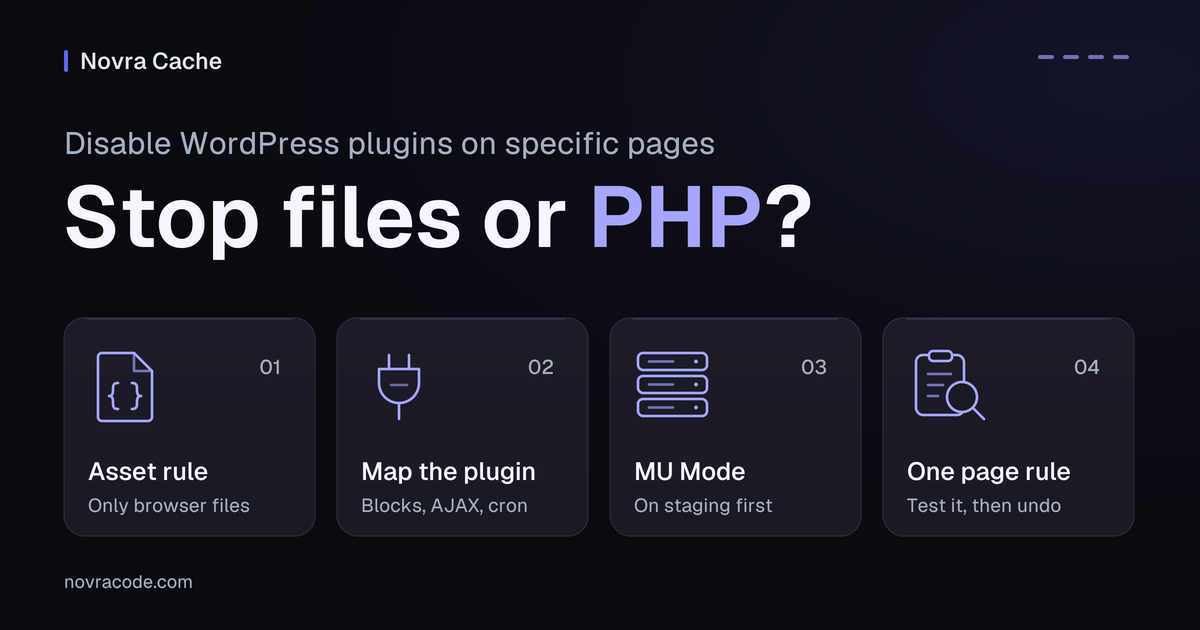
To disable WordPress plugins on specific pages, first decide whether you need to stop files or the plugin itself. An asset rule stops selected browser files; PHP-level control can prevent the plugin’s server-side code from loading. Stopping a file is not the same as stopping its plugin. Start with file control unless your maintainer confirms the wider plugin behavior is unnecessary.
For a business site that needs page-specific controls alongside caching, we recommend Novra Cache’s page-specific controls. Its Script Manager can remove selected files from pages that do not need them. Its MU Mode can also prevent selected plugins from loading at PHP level. Use that broader option with your maintainer on isolated staging, a separate test copy of your site.
Choose whether to stop files or plugin loading
A plugin can do work before the browser receives the page. Removing its JavaScript, which powers browser interactions, does not necessarily stop that work. The same applies to its CSS, which controls appearance.
PHP runs on your server. A plugin’s PHP can make database queries, meaning requests for stored information. It can also register hooks, which connect its code to WordPress actions, and generate page content.
| What you need to change | Start here | What to check |
|---|---|---|
| An unnecessary script or stylesheet on one page | A narrow Script Manager asset rule | The selected file is absent, while required features still work. The plugin’s PHP may still run. |
| Plugin-side processing that is unnecessary on one page | A maintainer-reviewed MU rule on isolated staging | Only the intended plugin behavior disappears. Required queries, hooks and generated content remain available elsewhere. |
| Unclear ownership or dependencies | Keep the plugin behavior unchanged and investigate | A file-size warning or an empty-looking page does not establish that the plugin is unnecessary. |
Explore Novra Cache’s controls, then choose the narrowest change that solves your site’s problem. If removing a file is enough, you do not need to suppress the plugin’s PHP.
Use asset rules when only files are unnecessary
Start on staging with the exact page and file identified. In Novra Cache, enable Script Manager and open it from the frontend admin bar. Use administrator access, then follow this short file-only path:
- Enable Script Manager’s Testing Mode before testing an asset-disabling rule.
- Identify the script or stylesheet and inspect Display Dependencies, which helps reveal relationships between scripts.
- Disable that file on the current page only. Keep Expert Mode off; it exposes protected files.
- Test the page’s visible and hidden interactions. Confirm the file remains available on pages that need it.
Novra’s asset Testing Mode explanation describes administrator-only script-disabling tests. It does not establish the same protection for PHP-level plugin rules. Test PHP-level rules on isolated staging. Do not use this asset mode as a substitute.
An administrator’s asset test also does not verify ordinary visitors. Before retaining a rule, test logged-out behavior on staging after deliberately turning Testing Mode off and refreshing relevant cached output.
Map what the plugin does beyond the visible page
Write down the exact plugin, target URL and feature you expect to remove. Then list pages and actions that must keep working. Your maintainer should check beyond the first screen:
- Blocks, embedded features and plugin-generated content, including footer forms and popups.
- Shared scripts and other plugins that depend on this plugin’s functions or data.
- Database queries and hooks used for behavior that is not immediately visible.
- AJAX and REST requests, which let the browser or another service exchange data with WordPress separately.
- Callbacks, such as a payment service notifying your site, and scheduled jobs run through WordPress cron.
Record the actual separate request addresses and what each must return. A page rule is not evidence that these requests are covered, excluded or safe. Administrative requests may need checking too.
Do not disable core commerce, consent, sign-in or security behavior because a page looks empty. A page outside checkout or login can still depend on those functions.
When a dependency is unresolved, stop at the investigation stage. Keep the plugin enabled. A narrower asset rule remains an option only when that file’s use is understood.
Confirm MU Mode and its helper on staging
Novra’s MU Mode installs a must-use helper, an early-loading WordPress component. It can prevent selected plugins from loading at PHP level. Queries, hooks and rendering logic can therefore disappear, not just browser files.
Work through Novra’s Script Manager and MU Mode guide with your maintainer. Before a PHP-level trial:
- Use isolated staging and a restorable backup. Make sure the copy represents the business flows you need to test.
- Export the current main settings and the separate Script Manager rules. One export does not replace the other.
- Record the current MU Mode setting, helper status and relevant page or plugin rules. Review existing broad rules before changing the mode.
- Have your maintainer confirm the helper’s installation status after saving settings. Check it against the installed version and current Novra documentation.
- Agree which single plugin and page the trial covers, what should remain unchanged and how to restore the previous state.
If the helper status or rule scope is unclear, leave the PHP rule off. Do not copy another plugin’s installation steps or debug address into Novra. A similar feature name does not establish identical behavior.
Test one page-specific plugin rule
Change one plugin rule on one staging page. Your maintainer should select a plugin whose behavior is genuinely unnecessary there. Use a supported page-specific rule in the installed Novra controls.
Confirm that the rule controls plugin loading, not merely one script or stylesheet. Keep pages needing the plugin outside the trial. Review any existing broad rules and enable exceptions that could affect the intended scope.
Record the rule’s before and after state. Compare the target page, a page retaining the feature and a nearby page sharing its footer or template. Do not expand the rule when any required behavior is unverified.
Example: a map needed on the contact page
Hypothetical example, not a test of a named plugin: your site uses a map on /contact/. Your maintainer is investigating whether its plugin is needed on /company/.
| Check | Question | Decision |
|---|---|---|
| Browser files | Does the map file serve a footer, popup or other feature on /company/? |
If only that file is unnecessary, test asset control first. |
| Plugin dependencies | Does another feature use the plugin’s data, hooks or generated content? | Keep PHP loading unchanged until the dependency is resolved. |
| One staging target | Does a narrow rule remove only the intended plugin work on /company/? |
Compare existing server diagnostics and page behavior before and after. |
| Required page and requests | Do /contact/ and its actual related requests still work? |
Retain the required behavior and check separate requests individually. |
The example does not imply that a contact-page exception protects background requests. It also provides no measured speed gain. The useful result is a documented boundary between unnecessary work and required behavior.
Check PHP output and business flows
Ask your maintainer to compare a request that actually runs WordPress before and after the rule. Use existing diagnostics to inspect relevant plugin queries, hooks and generated output. An absent JavaScript file alone does not prove the plugin stopped loading.
A warm page cache holds a ready-made response and can serve it before most WordPress code runs. A fast cached page is not proof of PHP-level behavior. Check uncached or dynamic requests separately, then check warm visitor delivery.
The browser’s Network panel shows individual requests and what initiated them. Use it alongside server diagnostics, not instead of them. Its Disable cache option affects the browser cache, not your server’s page cache or a content delivery network.
Keep the URL, login state, consent choice, device and network conditions comparable. Record browser and server cache states separately. Use the following matrix for applicable features; these are proposed checks, not reported test results.
| State or feature | What to do on staging | What must remain correct |
|---|---|---|
| Target and retained pages | Check the rule target, the page needing the plugin and a shared-template page. | Only the intended page-specific behavior changes. |
| Desktop, mobile and first interaction | Load without interacting, then try the first tap, click and keyboard action. Repeat on a slower connection. | Required content appears; navigation and controls work on the first attempt. |
| Consent choices | Use fresh sessions for no choice yet, rejection and acceptance. | The banner remains usable. Scripts and recorded events follow the site’s consent policy. |
| Forms, popups and search | Open hidden forms, check invalid inputs and use approved test submissions or search terms. | Validation, server responses and confirmation work without creating real leads. |
| Analytics events | Compare expected events in a permitted test or debug destination. | Events arrive at the expected stage without duplicates or manufactured live conversions. |
| Accounts and shop flows | Use existing sandbox procedures for sign-in, product choices, cart changes, coupons, shipping and payment selection. | State stays consistent. Test payment and confirmation only with an approved test gateway; otherwise mark them unverified. |
| Separate server requests | Have the maintainer trace required AJAX, REST, callback, administrative and scheduled-job behavior. | Each required response or task still works. A working page alone is insufficient. |
| Visitor and cache states | Compare administrator, logged-out and relevant signed-in sessions. Check uncached behavior separately from warm delivery. | Results match the intended scope, not just an administrator-only preview or an old cached response. |
Do not place a real order for these checks. If staging lacks a required integration, mark that flow unverified instead of assuming compatibility. A better performance score cannot replace a functional pass.
Undo plugin suppression before broader use
Restore the previous state if required content disappears, a request fails or a business flow changes unexpectedly. Undo the last specific change before trying another rule.
- Restore the exact plugin/page rule to its recorded baseline.
- If the trial changed MU Mode, have your maintainer restore its previous setting too.
- Refresh only relevant cached output through your normal maintenance process.
- Repeat the same failing action, the retained-feature page and any related server requests.
- Recheck uncached PHP behavior, then fresh visitor sessions and warm page delivery.
Do not uninstall the plugin, delete its helper or use Reset Everything to undo one trial. Novra’s general cache-bypass query is also not proof that Script Manager or MU behavior has been reversed.
If the baseline does not return, stop adding rules and let your maintainer isolate the remaining cause. Keep the known-good settings and separate rule export. Move beyond staging only after the required flows pass.
Common page-specific plugin questions
Does disabling a script stop its plugin’s database queries?
No, not by itself. An asset rule controls a browser file. The plugin’s PHP may still make queries or generate content. Preventing plugin loading is a separate, broader change.
Is MU Mode faster or safe for every plugin?
No universal result follows from enabling it. The outcome depends on the plugin, its dependencies and the request being tested. Confirm a useful change under comparable conditions, without accepting broken functionality.
Does a working page prove that callbacks still work?
No. A callback is a separate request and may run under different conditions. Check the actual business flow with the maintainer, including any required sandbox payment or confirmation path.
What if I cannot confirm the helper status or the rule’s scope?
Leave the PHP-level rule off and ask your maintainer to verify it. Use narrower asset control only when the file is genuinely unnecessary. Do not treat Testing Mode as a documented PHP sandbox.