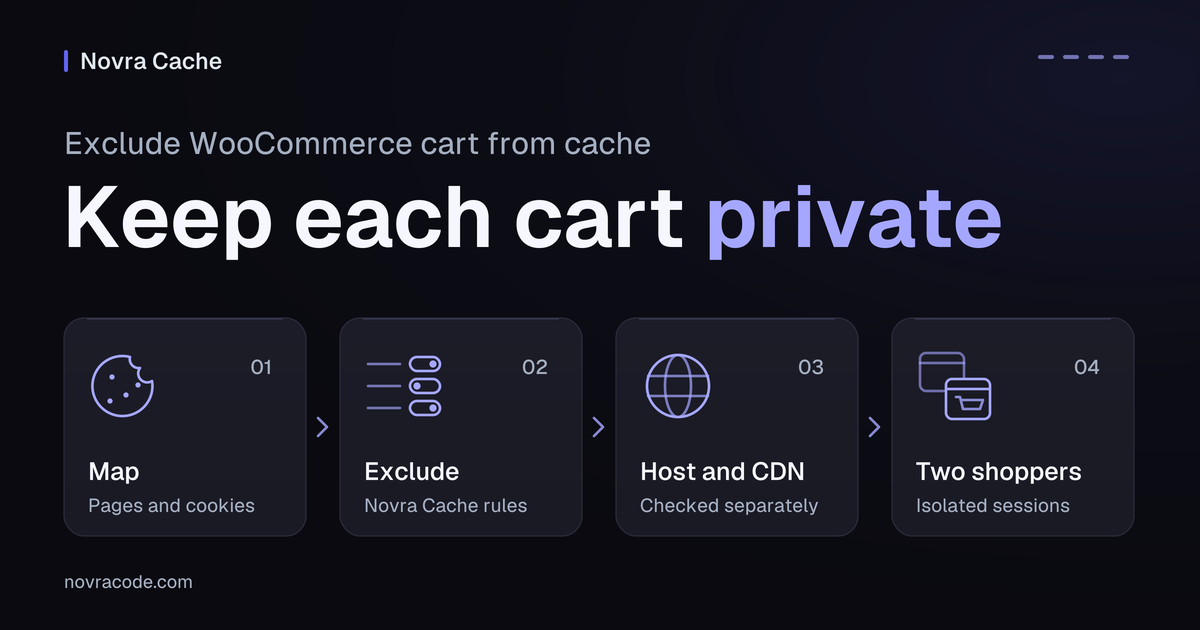
To exclude WooCommerce cart from cache, keep its actual page and customer-specific requests out of every shared full-page cache. This cache stores finished HTML, the markup used to display a page, for reuse. Check Novra Cache, your host and any content delivery network (CDN) separately. A CDN can serve copies from servers closer to visitors. Then use two isolated shopper sessions to confirm that each cart stays independent.
With Novra Cache’s cache controls, you can reuse eligible public pages while excluding specific pages, URLs and cookie states. Cookies are small pieces of browser data that help a store recognize a visit. Novra documents WooCommerce cart and session-cookie bypasses. These controls are a useful starting point, not proof that your whole store works.
The steps below are proposed checks on staging, a separate test copy of your store. They are not results from a tested shop. Keep a restorable backup and record any differences between staging and production.
Keep each shopper’s data separate
A publicly reachable URL is not necessarily safe to share from a cache. The response must be reusable across the relevant visitors. A product page with customer-specific pricing needs different handling from the same product shown at one public price.
| Response | Page-cache decision |
|---|---|
| Public catalogue or product page | A candidate only when prices, currency, access and personal elements are handled correctly across visitor states. |
| Cart, checkout or account page | Keep customer-specific output dynamic: generated for the current request, not reused as shared HTML. |
| Private order details or a cart-update request | Keep the customer’s response outside the public full-page cache, even if the surrounding page looks public. |
WooCommerce’s cache-exclusion guidance identifies Cart, Checkout and My Account as dynamic pages. An empty cart displaying correctly proves little. The first add-to-cart action, existing cookies and later account changes can produce different requests.
A mini-cart can also update separately from the main page. A correct page-cache exclusion does not prove that its update requests or required scripts work.
Find your actual pages, endpoints and cookies
- In WooCommerce → Settings → Advanced, record the assigned Cart, Checkout and My Account pages. Copy their actual paths, including any renamed or translated routes.
- Record the configured checkout and account endpoints. An endpoint is an extra URL segment that selects particular content, such as order details.
- List extensions that change prices, currency, membership access, wish lists or cart behavior. Record which visitor states change the response.
- During staging checks, use the browser’s Network panel to record the requests each action makes. Note the path, request method and meaningful query parameters.
Query parameters are values after the question mark in a URL. A parameter that changes a product choice, price or action is not disposable tracking noise. Keep it in your request map.
WooCommerce’s checkout and account endpoint reference explains the configured routes. Check the actual base page and its endpoints; a rule covering a child path may not cover the base.
Illustrative route map, not a tested configuration or a copy-and-paste rule set. These invented paths show why a generic list can miss your store.
| Example location | What to verify |
|---|---|
/shop/ and /product/sample-shirt/ |
Only reuse HTML when the relevant shopper states receive appropriate prices and content. |
/basket/ |
This example replaces the usual cart path. Exclude the assigned page, not merely an assumed cart URL. |
/pay/ and configured payment or confirmation endpoints |
Check the checkout base, endpoint paths and action requests. Preserve meaningful order and session parameters. |
/customer-area/ and its account endpoints |
Keep the base and private account responses dynamic. Check access after login and logout. |
| A mini-cart in a company-page header | Check its updates and dependencies even though the main route is outside the shop. |
Check the cookies your store actually uses
In the browser’s cookie-storage panel, compare a fresh anonymous visit with the same session after adding a product. Record cookie names, not customer values. WooCommerce’s documented cookie names provide these reference points:
woocommerce_cart_hashandwoocommerce_items_in_carthelp WooCommerce detect cart-content changes.wp_woocommerce_session_identifies where the current customer’s cart data can be found. The actual cookie name may include a suffix.- Recently viewed and store-notice cookies serve particular features. Their presence alone does not prove that every response must be private.
The illustrative pattern wp_woocommerce_session_* means matching that observed prefix only in a system supporting wildcards. It is not a complete exclusion list. Compare actual cookies and extension behavior with existing safeguards before adding rules.
Apply the relevant Novra Cache exclusions
First confirm that only one WordPress plugin owns page caching. Do not stack Novra Cache’s page cache with another plugin’s page cache. Record the existing settings and expected shopper behavior before changing staging.
- Exclude the assigned page. Open its WordPress editor, then Novra Cache Options → Exclude from Page Cache. Save the staging page. Novra documents that saving purges that page’s cached copy.
- Review the built-in bypasses. A bypass means the request does not reuse the public page cache. Novra documents logged-in and WooCommerce cart/session-cookie bypasses. Check them with the cookies and routes you observed.
- Add only missing coverage. Use Advanced → Never Cache for wider route coverage or a needed custom cookie rule. Use the URL field for URLs and the Cookies field for cookie names, not cookie values.
- Check matching behavior. Novra’s URL controls support one rule per line, including URL/path matches, wildcards and regular expressions. A regular expression is a pattern-matching rule. Test the actual base URL, descendants, trailing-slash variations and relevant actions.
- Preserve meaningful parameters. Review any Ignore Query Strings rule affecting your map. Do not ignore values that change content, permissions, pricing or required server-side tracking.
Use Novra Cache’s URL and cookie exclusion guide for the supported syntax. A bare path enclosed in slashes can be mistaken for a regular expression. Do not paste the illustrative route table into a rule field unchanged.
Ignoring a parameter reuses the normal cached version; allowing a separate query-string cache variant is a different setting. Neither should turn customer-specific output into shared HTML. Unknown parameters normally prevent Novra page caching.
Page-cache exclusions are not a master switch for optimization. CSS styling rules, JavaScript code and media settings remain separate. If a cart button fails, inspect the relevant recent change instead of assuming a page exclusion fixes it.
Check the host and CDN separately
Your origin is the server running WordPress. A hosting cache may sit in front of it. A CDN, or content delivery network, may serve another copy closer to visitors. These layers can make separate decisions about reusing HTML.
Give your host or developer the same route, cookie and action map. Have them confirm how each active full-page cache handles:
- The assigned cart, checkout and account pages, including base paths and endpoints.
- Logged-in visitors, cart/session cookies and any observed extension-specific personalization.
- Request methods and actions, such as submitting a form or changing the cart.
- Parameters that change prices, permissions or the response’s meaning.
Novra’s Cloudflare and NGINX FastCGI integrations can purge configured caches. Purging removes stored copies. It does not establish the host’s or CDN’s complete cache policy.
Where access exists, inspect both origin and CDN responses during the staging procedure. Record the provider’s cache indicators alongside the actual response and shopper state. A HIT or MISS label alone is not a functional test.
Use ordinary shopper URLs for acceptance checks, not a special cache-bypass parameter. Browser caching can also retain old files, so distinguish a stale script from stale HTML. Redact private URLs, cookie values and personal headers from shared records.
Verify with two separate shopper sessions
Use two separate browser profiles or genuinely isolated browser sessions. Two tabs sharing cookies are one shopper context, not two. Label the sessions A and B. Start logged out, then use separate test accounts for authenticated checks.
First establish the expected behavior on staging. Visit eligible public pages repeatedly so cached copies can be reused, then run the matrix. Repeat after each relevant setting change, on mobile and on return visits. Do not warm cart actions or private endpoints.
For each row, record the actual route, visitor state, active cache layers and expected result. Then add the observed result for both A and B. These are proposed checks, not passed tests.
| Check | Expected in session A | Expected in session B |
|---|---|---|
| Empty cart, then first add | The assigned cart stays dynamic before and after cookies appear. The added product and counter agree. | The cart stays empty until B adds its own item. |
| Quantity, removal and variation | The cart, totals and mini-cart reflect A’s current choices. | A’s changes do not replace B’s selected items or quantities. |
| Coupon and shipping choice | Totals recalculate for A’s current inputs. | B retains totals appropriate to B’s own inputs. |
| Login, logout and private account endpoints | Only A’s permitted account data appears. Logout restores the appropriate access state. | B does not receive A’s account or order details. |
| Mini-cart outside shop routes | The header or widget updates after A changes the cart. | B’s widget reflects B’s cart, including on a company or content page. |
| Host and CDN responses | Personalized responses are not reused as public HTML at any active full-page cache layer. | The same protection holds when B repeats A’s navigation. |
| Normal product, variation or stock save | Affected public views reflect the intended staging change. Check dependent custom pages separately. | A repeat visit shows the correct current public data, without borrowing A’s private state. |
| Sandbox payment and confirmation | The test payment, return and confirmation show the expected test-order state. | B cannot see A’s private confirmation or order details. |
| Mobile and repeat visits | Controls and current cart details still work in the mobile layout and after returning. | The same functional expectations hold for B’s independent visit. |
Test the mini-cart implementation your theme actually uses. A legacy widget, a block and custom scripts can have different dependencies. Missing cart-fragments requests alone do not prove that cart updates work.
Only run the payment row with an existing gateway sandbox and isolated staging integrations. Use test recipients and separate fulfillment, stock synchronization and production analytics. Isolate webhooks too: these are notifications sent to connected services. Test mode can still create orders and send emails.
If WooPayments is already your gateway, its test-mode instructions are one gateway-specific example. WooPayments documents test orders and test-labeled emails despite no real funds changing hands. For another gateway, use that provider’s official sandbox procedure.
Do not install a payment plugin just for this check. Avoid real purchases, leads and production tracking conversions. If sandbox access or integration isolation is missing, stop the payment row and mark it unverified. A staging pass also leaves any production differences unverified.
Check product updates without confusing purge and warmup
With page caching enabled, Novra documents automatic purging for product, variation and WooCommerce stock changes. This removes affected cached copies; it does not verify every extension’s update method.
- Illustrative staging check: choose a test product and visit its eligible public page until a reusable cached copy exists.
- Through the normal WooCommerce editor, save one deliberate test price, variation or stock change. Record the previous and expected new value.
- Revisit the product and shop views. Also inspect a custom page that displays the same product, if your store has one.
- If an extra dependent page remains stale, have the developer confirm the dependency. Consider a narrow Advanced → Always Purge (URLs) entry for that page, then repeat the check.
This checks the normal save path only. External feeds, price imports and custom updaters need their own verification. Do not assume they trigger the same hooks, the events that tell WordPress something changed.
Purged does not mean warm. Warmup prepares reusable copies through later requests and scheduled jobs. A correct first response after purging can still be uncached. A warm product page proves neither correct cart behavior nor fast checkout.
Review Novra Cache’s caching and WooCommerce safeguards alongside your recorded observations. Use the documentation to set expectations, then keep the actual result separate.
Stop and restore the last working setting
Stop the affected experiment if sessions share private data, cart choices become stale or payment controls fail. Also stop if you cannot verify an active host/CDN policy. Record the failing step without exposing customer details.
- Reverse the last specific change. Restore the recorded staging rule or setting. Ask the host or developer to reverse a corresponding change in their layer.
- Keep required dynamic-page safeguards. Do not remove cart or private-data exclusions to improve the number of cache hits.
- If the HTML bypass works but an interaction fails, undo the recently changed JavaScript or file-loading setting. Do not cache the cart as a workaround.
- Where that change requires it, have the responsible operator clear only the affected staging cache entries. Repeat the same two-session checks.
If a reliable rollback or isolated test environment is unavailable, hand the reproduction to your developer. Do not continue the experiment on the live store. If correct dynamic requests remain slow, investigate their server or database work separately.
An object cache stores reusable database results, not finished pages. It is not a substitute for these page-cache exclusions. WooCommerce’s conditional database-cache note about _wc_session_ is not a blanket Redis exclusion rule. Redis is a separate in-memory data store; its configuration is outside this procedure.
Explore Novra Cache’s page and cookie controls, then verify them on a staging copy of your store. Novra Cache offers one-time licensing and a 30-day refund policy for business purchases. Check the current terms before buying; compatibility still depends on your theme, extensions and chosen settings.