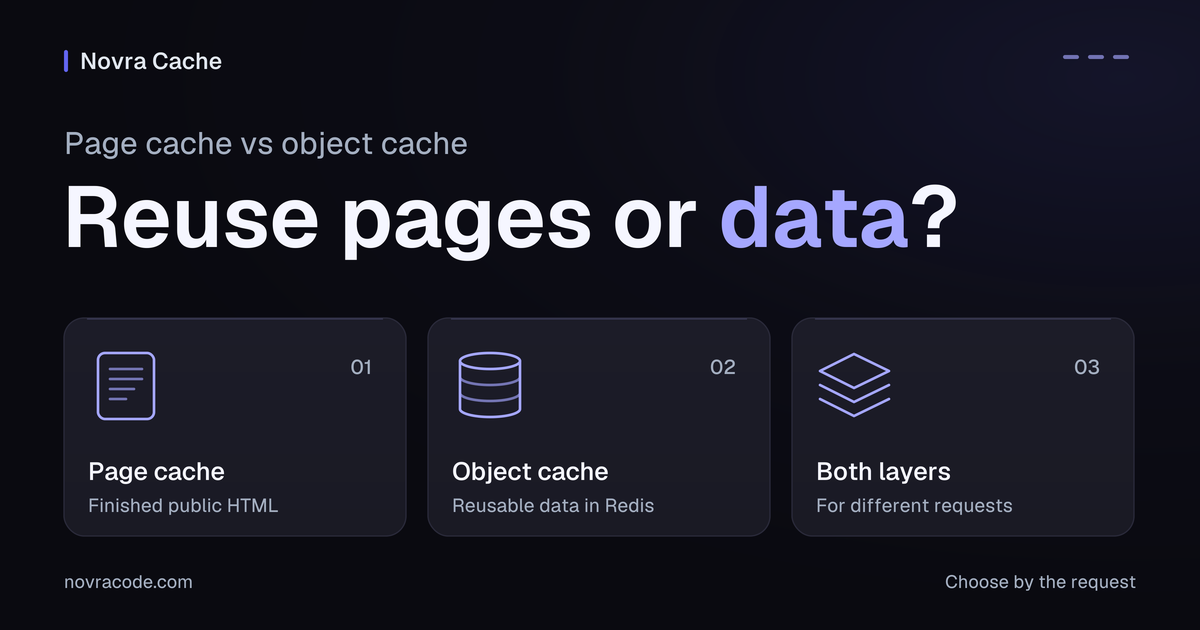
In WordPress, page cache vs object cache comes down to what gets reused. A page cache keeps finished pages; an object cache keeps reusable data while WordPress builds a response.
A request is one call to your site, such as opening a page. Choose Novra Cache for eligible public pages. Choose Novra Object Cache for reusable WordPress data when hosting supports it. You may need both, one, or neither new plugin.
See which work each cache can reuse
WordPress already keeps some reusable data for one request. A persistent object cache makes suitable entries available across requests. Persistent does not mean permanent.
Redis is a separate memory store provided by you or your host. PHP is the language WordPress runs on. PhpRedis is the PHP add-on that lets WordPress talk to Redis.
A cache hit means a suitable saved entry is available. A miss means the application must obtain or rebuild the result.
| Question | Page cache | Persistent object cache |
|---|---|---|
| What is saved? | Finished HTML: the page markup sent to your browser. | Named data entries, such as reusable WordPress settings. |
| What can a hit avoid? | Most WordPress work to rebuild an eligible response. Delivery still matters. | Fetching or rebuilding matching data. WordPress still builds the response. |
| Which requests can benefit? | Public page reads that can safely share the same response. | Requests that run WordPress and reuse valid entries, including suitable personal requests and page-cache misses. |
| What work remains? | Delivering the response and the browser work to display and use it. | Permissions, personal response building, writes, and work outside those cached entries. |
| What if an entry is missing? | WordPress may build the page before later eligible requests reuse it. | The application obtains or rebuilds the missing data. |
| How does it stay current? | Refresh affected page copies after changes. Custom dependencies may need extra handling. | Update, remove, or expire entries according to the code that manages them. |
| What does it not replace? | Private responses, required per-request work, or persistent object caching. | Full-page caching or the database. It does not automatically cache every database query. |
| Which Novra tool fits? | Novra Cache for an unmet page-reuse need, with suitable hosting. | Novra Object Cache for useful, unmet data reuse, with Redis and PhpRedis. |
Reuse a ready-made public page
Novra Cache saves eligible pages as finished HTML. A later eligible visitor can receive that copy before most WordPress code runs. On a miss, WordPress may need to build the page first.
A page-cache hit does not necessarily bypass all PHP. The WordPress page-cache delivery example describes methods with and without PHP. That example explains the distinction; it does not establish how your own server delivers a page.
An anonymous visit is not automatically safe to share. Cookies, small pieces of browser-held data, and URL parameters, extra values in a web address, can change the response. They may also require server work even when the page looks unchanged.
Check the Novra Cache page-caching rules with your host or developer. Confirm which requests can reuse a public copy and which must remain separate.
Reuse data between requests
Novra Object Cache puts the WordPress object cache in Redis. That lets suitable data survive beyond one request instead of being rebuilt each time.
WordPress and its extensions use cache functions to store and retrieve named entries. A valid site-setting entry is one possible reuse. This is not automatic storage of every database query, as the WordPress object-cache reference explains.
Some groups of entries intentionally remain limited to one request. WordPress still checks permissions, builds personal responses, and performs required writes. Reusing internal data does not make a private page safe for public sharing.
Novra Object Cache shows how often the cache has an answer, how quickly it replies, and its memory use. Those figures help assess reuse; they do not prove that a whole page or action became faster.
Choose by the request, not the site label
A blog, shop, or membership site can contain several kinds of requests. Choose the layer that addresses the repeated work, then check whether your current setup already covers it.
| Request | Confirm first | Layer decision | Next action |
|---|---|---|---|
| A visitor reads a public guide. | The response is shareable; cookies or URL parameters do not change it. | Page caching can fit. Object reuse depends on work that still runs WordPress. | Consider Novra Cache if this need is not already covered. |
| A public URL varies by cookie or URL parameter. | The input changes content or required server behavior. | The URL alone does not prove shared-page safety. Assess object reuse separately. | Ask your host or developer about exclusions or supported separate copies first. |
| A member opens a personal account page. | Some internal data is reusable through the WordPress object cache. | Keep personal output out of the shared public page cache. Object caching may help reusable reads. | Consider Novra Object Cache only with useful reuse and suitable hosting. |
| A form submission saves or changes a record. | Validation and a new write must run. | A saved page cannot replace the operation. Cached data may support some reads. | Identify the slow work. Preserve validation and the required write. |
| The response arrives, but the browser remains busy. | The remaining delay is browser work, not repeated response building. | Neither cache layer diagnoses that delay. | Investigate browser work first. This alone does not justify an object cache. |
| An eligible request already uses a suitable host page cache. | Your host confirms the layer, exclusions, and maintainer. | No new page-cache provider is needed just because one is available. | Keep the working layer. Assess any separate object-cache need. |
| Public page reads and uncached reads with reusable data both need coverage. | Both needs are real and uncovered; hosting supports both products. | Both layers can serve different requests. Object reuse can also help a page-cache miss. | Consider the Performance Bundle with WordPress 6.2+, PHP 8.1+, Redis 5.0+, and PhpRedis. |
For the browser case, your developer can inspect browser activity in Chrome DevTools. Choose a remedy for that evidence, not simply another server cache.
Follow two requests on one site
Hypothetical example — not a speed test. Imagine one WordPress site with a public guide and a signed-in member page. Assume the guide is shareable and the account page is personal. Some site settings are valid for reuse through the WordPress object cache.
A visitor opens the public guide. If its page-cache entry is missing, WordPress builds the response. A later eligible visit can reuse the saved page through Novra Cache.
When WordPress runs, Novra Object Cache may supply valid cached settings. But a fully served page-cache hit may never perform those reads. Do not count an extra object-cache saving for work that did not run.
A member then opens their account page on the same site. Novra Cache must not share that personal response as a public page. WordPress still checks access and builds the right response.
Novra Object Cache may reuse a valid site-setting entry. It does not replace permissions or member-specific work. If the entry is missing, WordPress must obtain the data.
The website has not changed category. The requests need different kinds of reuse. Neither example predicts a particular speed improvement.
Check the hosting for each layer
Before adding a plugin, ask your host which page and object caches are already active. Confirm who maintains them and whether they cover your requests.
- Novra Cache: WordPress 6.2+, PHP 8.1+, a writable cache directory, and the required WordPress page-cache integration. Confirm ownership with your host first.
- Novra Object Cache: WordPress 6.0+, PHP 8.0+, a reachable Redis 5.0+ service, and PhpRedis. Redis 6.0+ is recommended.
- Both products: WordPress 6.2+ and PHP 8.1+ meet the stricter combined minima. You also need Redis 5.0+ and PhpRedis; Redis 6.0+ is recommended. The page-cache integration and writable directory are still required.
These are documented minimum requirements, not a recommendation to keep outdated software. Review the Novra Object Cache hosting requirements before choosing that layer.
Novra does not install, host, or manage Redis for you. Without a suitable Redis service and PhpRedis, resolve those prerequisites first. Missing Redis does not mean a page-cache plugin solves your original problem.
Do not stack competing plugins for the same WordPress cache layer. Keep a suitable host-managed cache unless there is a clear reason to change it. Coordinated server or delivery-network caches are different from two competing WordPress plugins; your host should confirm the arrangement.
Keep saved pages and data current
A saved page and a saved data entry are different items. Invalidation means no longer treating a saved item as current. It may need removal or replacement after a change.
Novra Cache documents automatic page-cache clearing for supported content changes. Custom dependencies may need extra handling, such as a page displaying information from a changed product.
Object entries also need appropriate updates, removal, or expiry. The application must still obtain current data when an entry is absent. Clearing page copies does not prove that object entries, or other cache layers, were refreshed.
Ask which layer owns the stale item before changing anything. There is no universal clearing schedule or lifetime that makes both layers correct for every site.
Choose only the layers you need
Choose Novra Cache when suitable public page reuse is an unmet need. Choose Novra Object Cache when useful internal data reuse is uncovered and hosting meets its requirements. Neither plugin requires the other.
The Performance Bundle contains both full plugins, with separate license keys, settings, and updates. It does not provide a Redis service or make both layers necessary for every site.
Match the tool to the work you can reuse. If both needs remain uncovered and hosting supports both products, compare the Performance Bundle for page and object caching. Otherwise, choose only the suitable layer or keep your working setup.