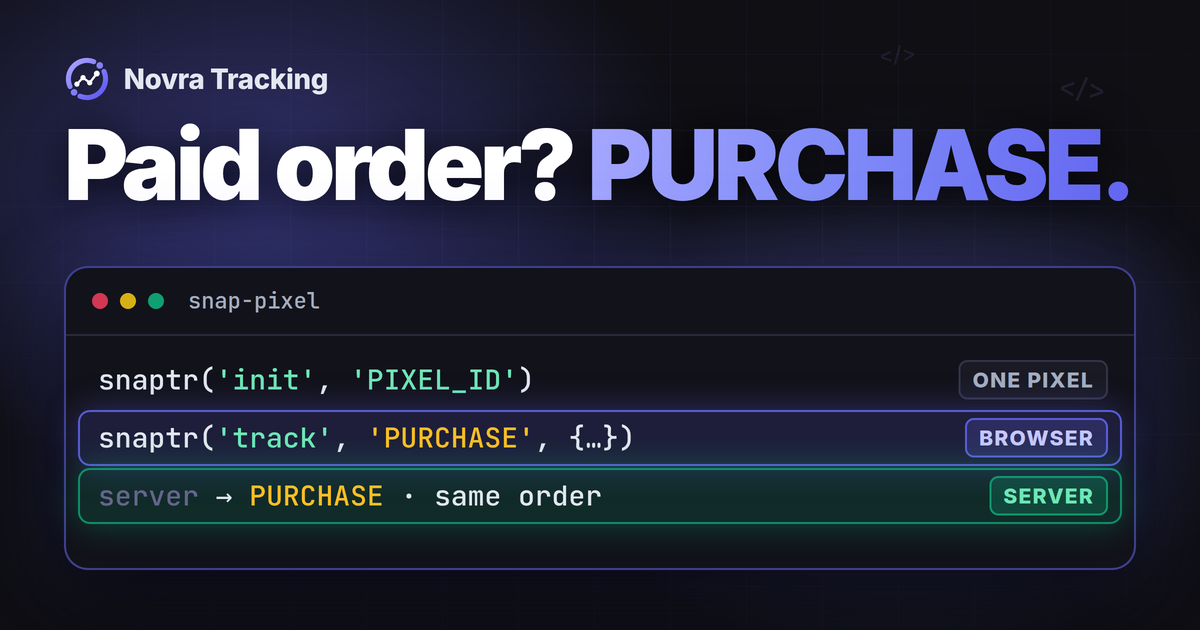
For WooCommerce Snapchat Pixel tracking, connect your shop’s Snap Pixel ID through one integration, then check PURCHASE against a paid order. Add the optional server connection when you need eligible purchases reported without relying on the buyer’s return visit. Check both copies before trusting the totals.
Novra Tracking for WooCommerce and Snapchat brings the Snap Pixel, advanced matching and optional server purchases into WordPress. Advanced matching uses customer identifiers to help Snap associate events with people. The server route can reduce dependence on the thank-you page, but it cannot guarantee complete tracking or advertising credit.
Choose your Snapchat connection
Looking for the official extension? The Snapchat for WooCommerce setup guide also covers product catalog synchronization and advertising features. This guide uses Novra Tracking, a separate Novra Code product, not that extension or an asserted official Snap partnership.
Begin by listing existing senders: tracking plugins, manual snippets, Google Tag Manager and server integrations. Tag Manager manages tracking scripts; its presence does not tell you which purchases it sends.
Give each event and destination one clear owner. One integration may coordinate browser and server copies. Plan any handover with the current operator, preserving catalog feeds, campaigns and unrelated tags. Do not disable an entire working extension to remove one overlapping purchase sender.
Connect the intended Pixel in WordPress
You need WordPress setup access and authorized access to your shop’s Snap business, Pixel and ad account. Novra documents classic and block WooCommerce checkouts. Confirm its current installation requirements and your particular payment gateway or checkout extensions.
Record the business, ad account, shop domain and Pixel ID together. The Pixel ID identifies the web event source; it is not the ad account number or a server access token. Reuse an appropriate existing Pixel for a production handover.
Snap’s Pixel setup guide documents Ads Manager’s top-left menu → Pixels for selection or creation. For a new source, its flow is Create Pixel, name it, then select the ad accounts to share it with. It also uses Events Manager → Event Sources to inspect a Pixel. Check the current account interface and have its owner resolve missing access.
Rehearse changes on an isolated shop with a separately controlled Snap destination. Confirm separation from production reporting, audiences and campaign optimization before generating activity. Use your payment provider’s test mode for order checks. Until that arrangement is confirmed, review existing settings and records only.
- Install Novra if needed. In WordPress, open Plugins → Add New Plugin → Upload Plugin. Upload your Novra ZIP, install it and activate it.
- Connect Snapchat. Open Novra Tracking → Settings, select Snapchat in the platform navigation and enter the intended Pixel ID. Enable the connection and save within your controlled setup.
- Review Shop & Events under Store. Identify the shop actions you need and the action that should represent payment.
- Open Consent under Privacy. Confirm the detected cookie banner and its marketing choice.
- Read Novra Tracking → Dashboard recommendations. A saved ID or setup score does not prove Snap received a purchase.
The Novra platform-connection guide documents these WordPress controls. Follow the fields shown by your installed version. Google Tag Manager is not required, and you should not add a second manual base snippet alongside Novra.
Check purchases, not just page views
A pixel is a browser script; an event is a record of an action. Seeing a page-view event does not establish purchase tracking. Snap’s event reference uses these names:
| Action to distinguish | Snap event name | Purchase evidence? |
|---|---|---|
| Viewing a page | PAGE_VIEW |
No. |
| Viewing relevant product content | VIEW_CONTENT |
No. |
| Adding an item to the cart | ADD_CART |
No. |
| Starting checkout | START_CHECKOUT |
No. |
| Making a purchase | PURCHASE |
Compare the event with the actual payment. |
This is a Snap reference, not a verified event map for your installed Novra version. Novra describes supported shopping actions without publishing every Snapchat trigger or outgoing field. Do not rename events using another platform’s vocabulary.
For this setup, the purchase outcome is a paid order. WooCommerce’s order-status guide separates Pending payment from Processing, which means paid and awaiting fulfillment. Completed refers to fulfillment. Check gateway notes for delayed confirmation or authorization before capture. A checkout visit or saved order is not proof of payment.
Agree on value and currency
Compare the same order across the shop and both delivery routes. Snap’s API requirements specify a purchase value and currency. Its browser examples use price; CAPI v3 uses custom_data.value with custom_data.currency.
Check discounts, tax, shipping and fees. Illustration, not a test result: items after discounts total USD 50, with USD 5 shipping and USD 4 tax. The full charge is USD 59. Those are different measures; confirm which one your integration sends. Novra’s public Snapchat description does not establish its calculation defaults.
Add optional server-side Snapchat purchases
Conversions API, or CAPI, receives events directly from your website’s server. Novra documents an optional Snapchat route for eligible paid orders. It does not promise a server copy of every browsing action.
Snap’s CAPI access instructions recommend a long-lived token from Ads Manager → Business Details → Conversions API Tokens. An Organization Admin can generate it. The section sits below OAuth Apps, but this token route does not make a separate developer app a universal prerequisite.
- Have the authorized administrator use the token route for the business that owns the intended Pixel. Snap limits that token to assets owned by its organization.
- In Novra’s Snapchat settings, enter the server credential in the intended private field.
- Enable the documented Send purchases from the server option, checking your version’s wording.
- Confirm the same Pixel destination, purchase definition and recorded checkout consent before saving.
The access token authorizes delivery; it does not identify an order or prove receipt. Keep it out of browser code, public URLs and shared screenshots. Novra documents encrypted storage and omission of tokens from its settings export and system report.
Separate Snapchat’s time windows
Novra describes background server delivery a few minutes after payment, subject to the checkout’s marketing consent. Its Snapchat-specific limit allows later-paid orders, up to Snap’s seven-day limit after the purchase. Do not apply Novra’s 47-hour rule for several other platforms to Snapchat.
Snap’s current API measures those seven days from event_time, the time the conversion happened. This is an event-age limit, not an order-creation deadline or an attribution window. Novra’s public wording does not identify the exact stored timestamp it uses.
Record four times separately: order placement, payment confirmation, outgoing event time and Snap receipt. For a bank transfer paid days after checkout, inspect the actual event timestamp and eligibility. Do not assume a new payment resets every clock, rewrite an old timestamp or replay historical orders to fill a report.
Pair the two purchase copies
Deduplication recognizes repeated reports of one action. Snap’s current deduplication guide distinguishes two identifier pairs:
| Purpose | Snap Pixel field | CAPI v3 field | Documented pairing window |
|---|---|---|---|
| Identity of the same event | client_dedup_id |
event_id |
48 hours. |
| Purchase order reference | transaction_id |
custom_data.order_id |
Up to 30 days for PURCHASE. |
For the event-ID pair, Snap requires the same Pixel ID, event name and exact identifier. Different purchases need distinct IDs. A browser-generated ID unknown to the server cannot establish this match.
For purchases, Snap recommends both pairs. When both are present, its guide gives the event-ID pair priority with the 48-hour window. It describes the order-reference pair as a fallback when those event identifiers do not match. Do not read the longer window as unconditional duplicate protection.
Novra says Snapchat uses event IDs and order numbers, but does not publish its exact identifier format or installed API version. Confirm both actual pairs, including the field names for that version. Do not invent an order prefix. The 30-day pairing window does not extend the seven-day API event-age limit.
Inspect the relevant event’s Diagnostics in Events Manager. Two received copies are not automatically two counted purchases. Matching customer data or equal amounts is not proof of correct event pairing either.
Keep matching and consent distinct
Matching helps Snap associate an event with a person or ad interaction. An event ID instead identifies the action. Snap documents ScCid in ad landing URLs and sc_click_id for the corresponding server value. It also documents the _scid cookie through sc_cookie1. These are not order identifiers.
Novra lists Snapchat advanced matching, but does not establish every customer or click field it sends. Confirm the installed mapping. Snap’s parameter rules require hashing for email and phone, but not for all identifiers. Hashing is not anonymity and does not remove consent requirements.
In Novra’s default Basic mode, tracking waits for the required consent. Server purchases follow the marketing choice recorded at checkout. Do not infer Snapchat’s Advanced-mode behavior from Google’s Consent Mode. Novra reads a supported banner; it does not replace one. The server route is not a consent bypass.
Diagnose missing or incorrect purchases
Start with existing settings, order evidence and logs. Novra documents failed server hits under Settings → Advanced and background-job warnings on its Dashboard. Its payment-method view helps locate delivery gaps; it does not independently certify Snap receipt.
| Symptom | First focused checks | Evidence still needed |
|---|---|---|
| No browser Pixel activity | Snapchat enabled, intended Pixel ID, marketing permission, excluded roles, cached settings and blocked requests. | The correct browser event, not just server activity. |
| Pixel active, no purchase | Actual payment, purchase trigger, event name and custom checkout behavior. | PURCHASE tied to the intended paid order. |
| Server purchase missing | Pixel ownership, credential state, server option, checkout consent, background errors and all four timestamps. | Acceptance by the intended Pixel. |
| Wrong purchase value | The same order, currency, discounts, tax, shipping and fees. | Agreement with the chosen value definition in both routes. |
| Possible double counting | Extra senders, repeated triggers, Pixel identity, event names, both identifier pairs and timing. | Snap’s duplicate handling, not only received-event counts. |
Snap’s signal-health guide documents Snap Pixel Helper, Events Manager Test Events and Event Quality Score. The helper inspects browser tracking, not the separate server route. Event Quality Score concerns matching signals; it is not an audit of paid orders. Diagnostics may update later, so waiting alone does not prove a fix.
Understand Snapchat test limits
Novra’s published Tools test-purchase instructions do not list Snapchat. Do not treat that button or a plugin debug flag as a Snapchat checkout test.
Snap’s CAPI verification guide documents a separate /events/validate endpoint for testing without sending actual production events. Its Request Check Tool checks request data; adding an asset ID and credential sends a validation check. These tools do not place a WooCommerce order or establish production attribution.
That specific validation path is not the ordinary collection path. A test_event_code, private window or gateway test payment alone does not establish isolation from reporting, audiences, optimization or billing. Confirm which route the installed integration supports before sending anything.
Once the isolated shop, Snap destination and gateway test mode are confirmed, use a customer-like session. Novra excludes administrators and shop managers by default.
- Check marketing refusal and acceptance, including the recorded checkout choice.
- Follow product, cart and checkout actions. Confirm they do not masquerade as paid purchases.
- Complete an eligible test payment. Record its order reference, actual payment time, value and currency.
- Inspect browser and server receipt separately. Compare Pixel ID, event name, identifiers and event time.
- Review duplicate handling. Record untested gateways, later-paid orders or custom checkout variations.
If you cannot establish that test arrangement, keep the review read-only. An HTTP success response or local sent status does not prove a correctly valued, deduplicated, ad-attributed purchase.
Decide whether the setup fits
Keep event receipt, a counted purchase and ad attribution separate. Attribution assigns credit to an advertising interaction. Check the relevant ad account and its reporting windows, using equivalent dates, currencies and purchase definitions. Neither the seven-day event limit nor a deduplication window determines advertising credit.
Choose Novra when its WordPress controls, Snapchat advanced matching and eligible server purchases fit your shop. Keep a working integration if it already meets your requirements. Resolve unknown purchase mappings and late-payment handling before a production handover.
Your next step is to compare Novra Tracking with your Snapchat purchase requirements. Novra lists one-time plans and a 30-day money-back guarantee. Choose by the supported setup, not a promise of higher returns or identical shop and ad totals.