
Early Bird · 50% off every plan
Make your WordPress
fast.
A faster site starts with a lighter load. Caching, code optimization and next-gen images — one plugin, six layers, and no plugin stack to babysit.
$79
$158
· 1 website, paid once
Lifetime license · No subscription · 30-day money-back guarantee

Novra Cache
FROM THE PLUGIN
YOUR PERFORMANCE TOOLKIT
Everything in view.
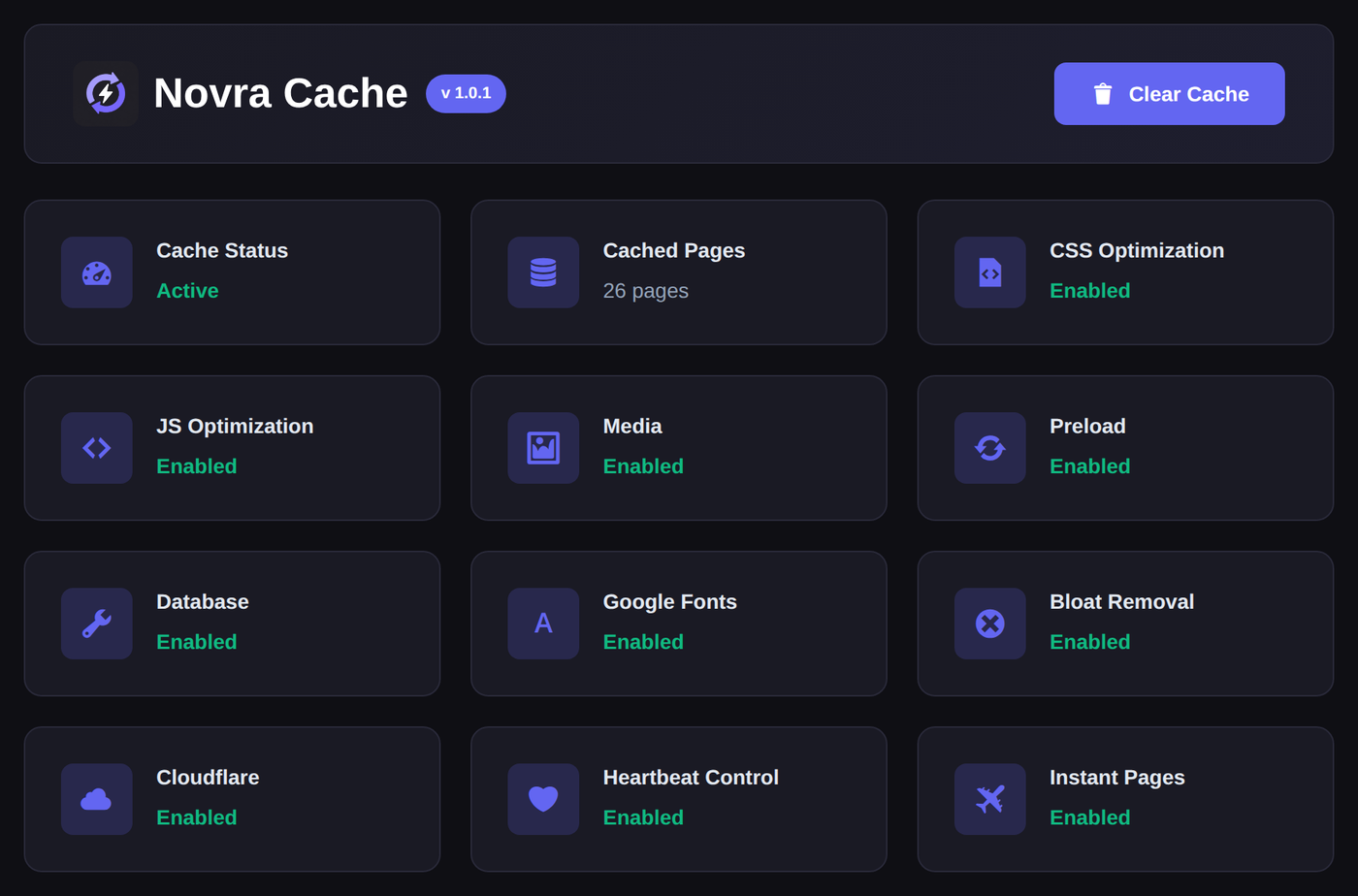
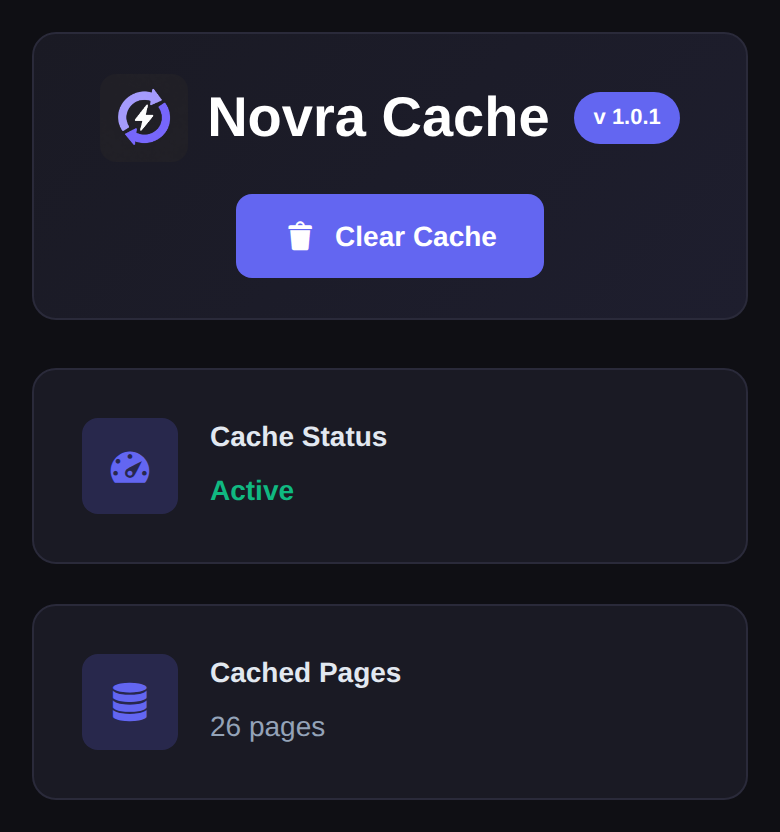
● One dashboard for every performance layer
CACHE / OPTIMIZE / CONTROL
$79
Early Bird price for 1 website. Paid once.
4 plans
From 1 website up to unlimited.
Lifetime
Updates for the life of the license.
30 days
Money-back guarantee on every plan.
ONE PLUGIN. EVERY LAYER THAT MATTERS.
Give every visit
a head start.
From the first server response to the last image below the fold, Novra Cache takes work out of every page request — with controls precise enough to trust on a live site.
01 / CACHE
Fast pages that never go stale.
Serve finished pages instead of rebuilding them on every request. Sitemap-based preloading keeps them warm, so even the first visitor lands on a cached page. When something changes, Cloudflare and FastCGI are purged straight from your WordPress workflow, so no layer keeps serving yesterday’s HTML.
Page cache · Preload · Cloudflare & FastCGI purge
02 / CSS & JAVASCRIPT
Less code. Less waiting.
Minify CSS and JavaScript, defer or delay scripts, and decide exactly how and when your stylesheets load.
Minify · Defer · Delay
03 / IMAGES
Beautiful images. Lighter pages.
Generate WebP and AVIF versions automatically, lazy-load whatever is out of view and give priority to the images above the fold.
WebP · AVIF · Lazy loading
04 / CONTROL
Only load what you actually need.
Script Manager controls CSS and JavaScript per page and per URL pattern — from the interface, not from functions.php.
Per-page rules · URL patterns
05 / HOUSEKEEPING
A leaner WordPress setup.
Self-host your fonts, clear out database clutter, switch off features you never use and rein in the Heartbeat API.
Fonts · Database · Bloat removal
06 / ANTICIPATION
The next page, already on its way.
Instant Pages prefetches the next page on hover, on touch or as soon as a link enters the viewport — with a concurrency limit, and it stops on its own if your server starts returning errors.
Hover · Mousedown · Viewport
WORKS WITH THE STACK YOU ALREADY RUN
INSIDE THE PLUGIN
Real screens.
Real controls.
Every screen below is taken from the Novra Cache settings interface — the same controls you get after installing it.
JavaScript controls
FROM THE PLUGIN
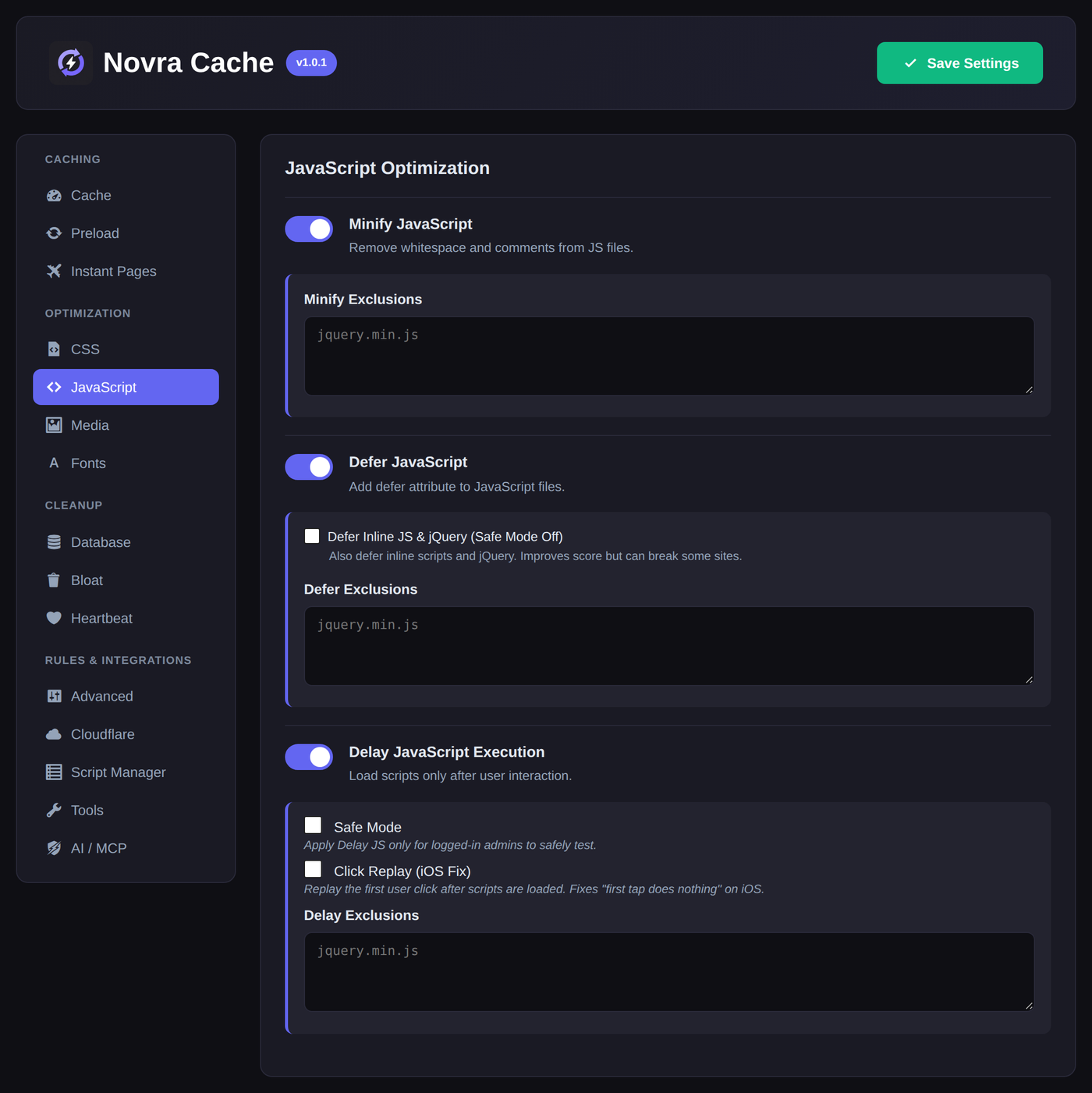
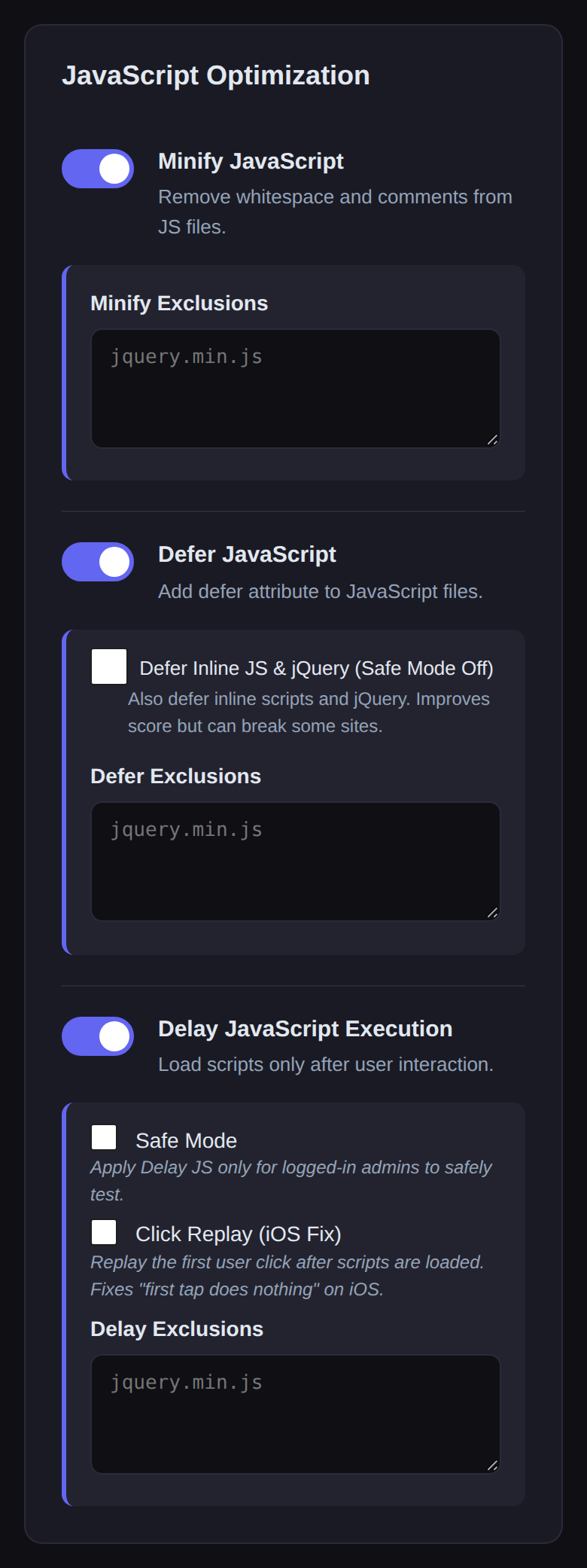
The JavaScript tab in Novra Cache. Every tab along the top is its own set of controls.
MORE THAN A CACHE SWITCH.
Take control of
what loads.
JavaScript is where most of the waiting happens. Minify it, defer it, or hold it back entirely until a visitor actually interacts with the page — each with its own exclusion list, so the scripts that have to run early still do.
Safe Mode keeps delayed scripts switched on for visitors and off for logged-in admins while you test. Quick Exclusions cover the usual suspects in one click. And when a single page needs different rules, the built-in Script Manager decides per page and per URL pattern what loads at all.
Find your Novra Cache planTHE PART NOBODY SEES.
Only the CSS your
page actually uses.
Most WordPress pages ship a stylesheet built for every page — dozens of kilobytes of rules that never match a single element.
Remove Unused CSS analyses each URL and inlines only the rules that page really needs. A safelist keeps the styles that only appear after a click, a hover or an open menu.
Remove Unused CSS · Safelist · Async transport
Remove Unused CSS
FROM THE PLUGIN
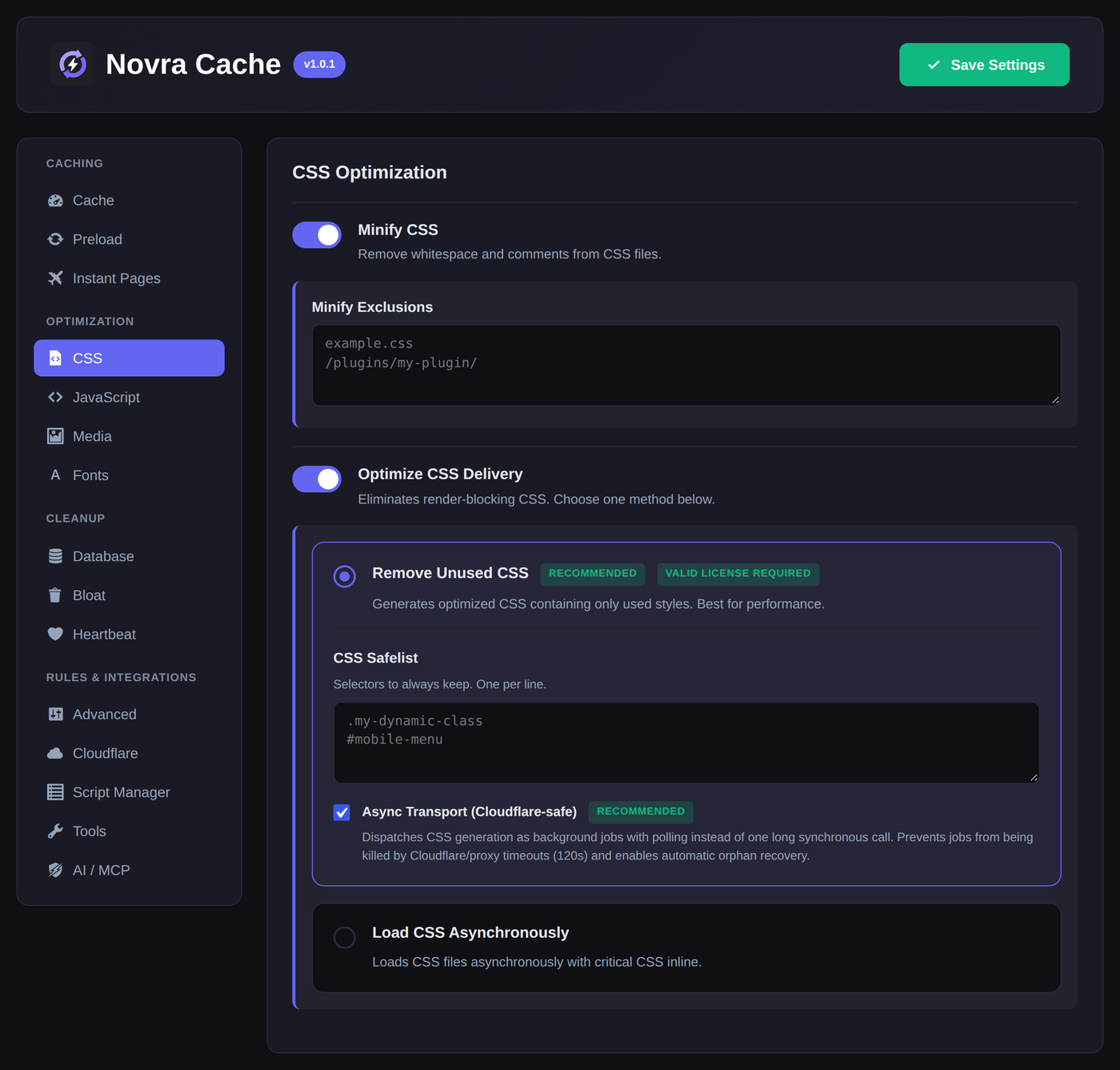
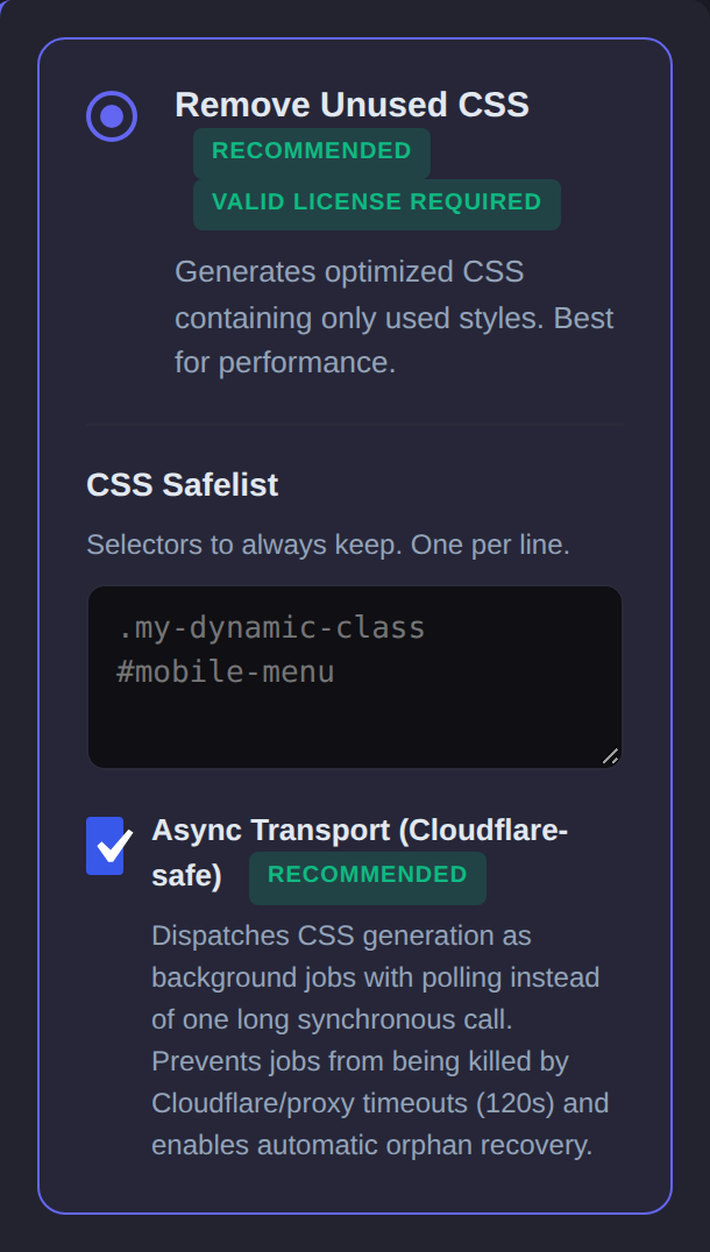
The CSS tab in Novra Cache. The safelist keeps the rules that only appear once something opens.
Instant Pages
FROM THE PLUGIN
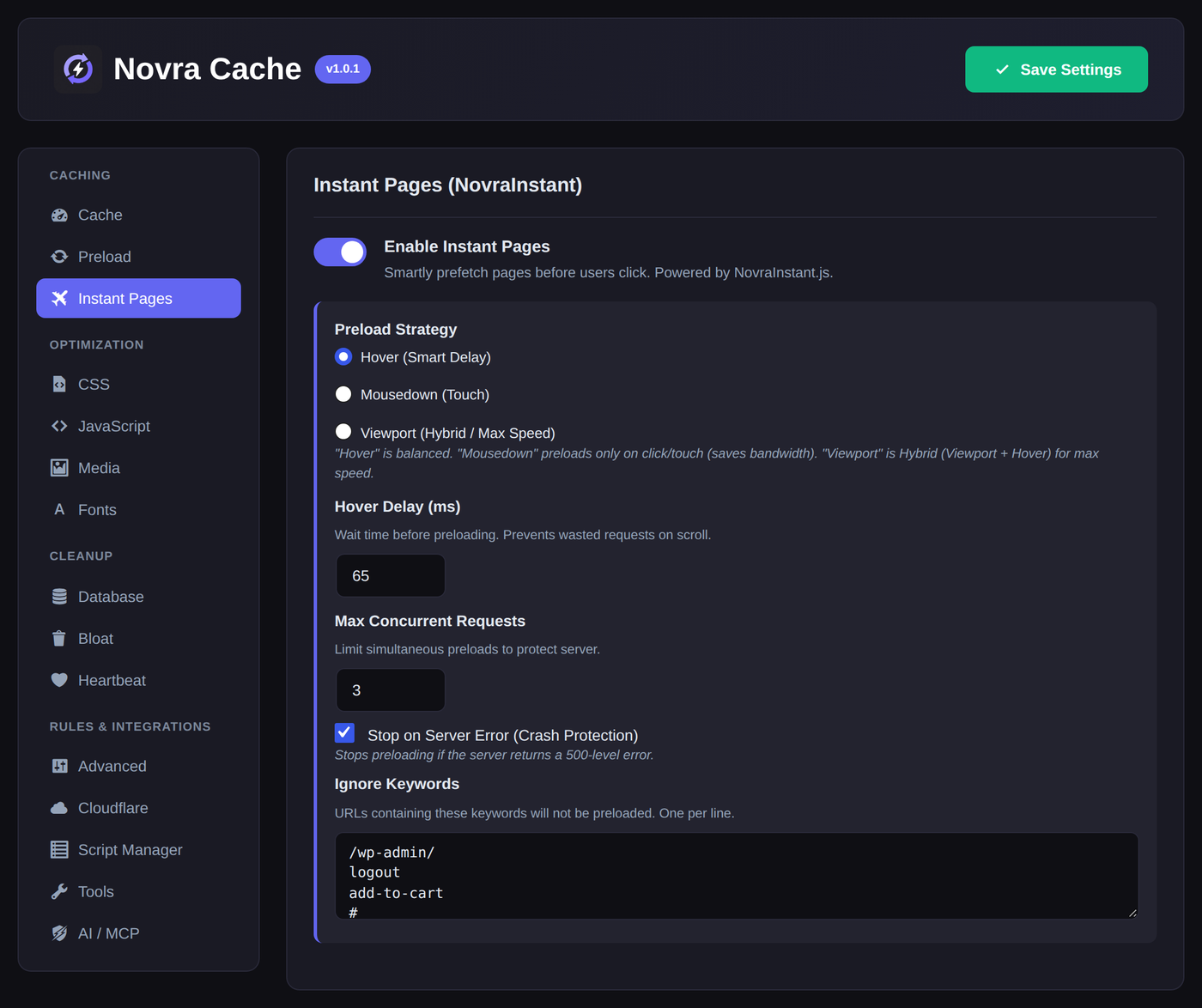
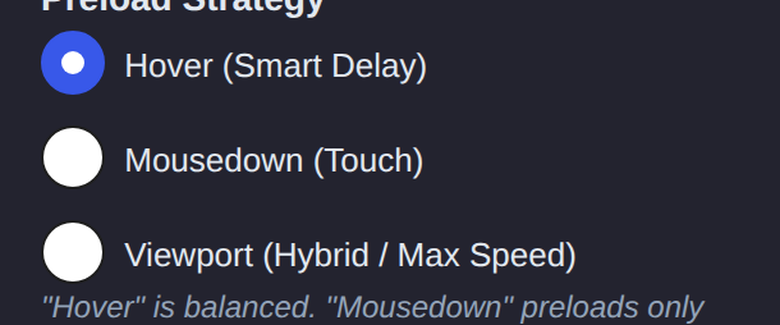
The Instant Pages tab in Novra Cache. Hover is the balanced default; viewport is the fastest.
ANTICIPATION.
The page before
the click.
A cached page still needs to travel. Instant Pages starts fetching the next page while a visitor is still moving towards the link — on hover, on touch, or as soon as the link enters the viewport.
You set how eager it should be, how many requests it may run at once, and which URLs it must never touch. If the server starts returning errors, it stops on its own.
Hover · Mousedown · Viewport
YOUR EXISTING LIBRARY.
Not just the
next upload.
New uploads get AVIF and WebP versions automatically, at a quality you choose. The images already in your Media Library get the same treatment on demand — generate what is missing, reprocess everything, or clean up files you no longer need.
Source JPEGs, PNGs and GIFs can be optimised too, and the originals stay yours to keep.
AVIF · WebP · Bulk processing
Bulk image processing
FROM THE PLUGIN
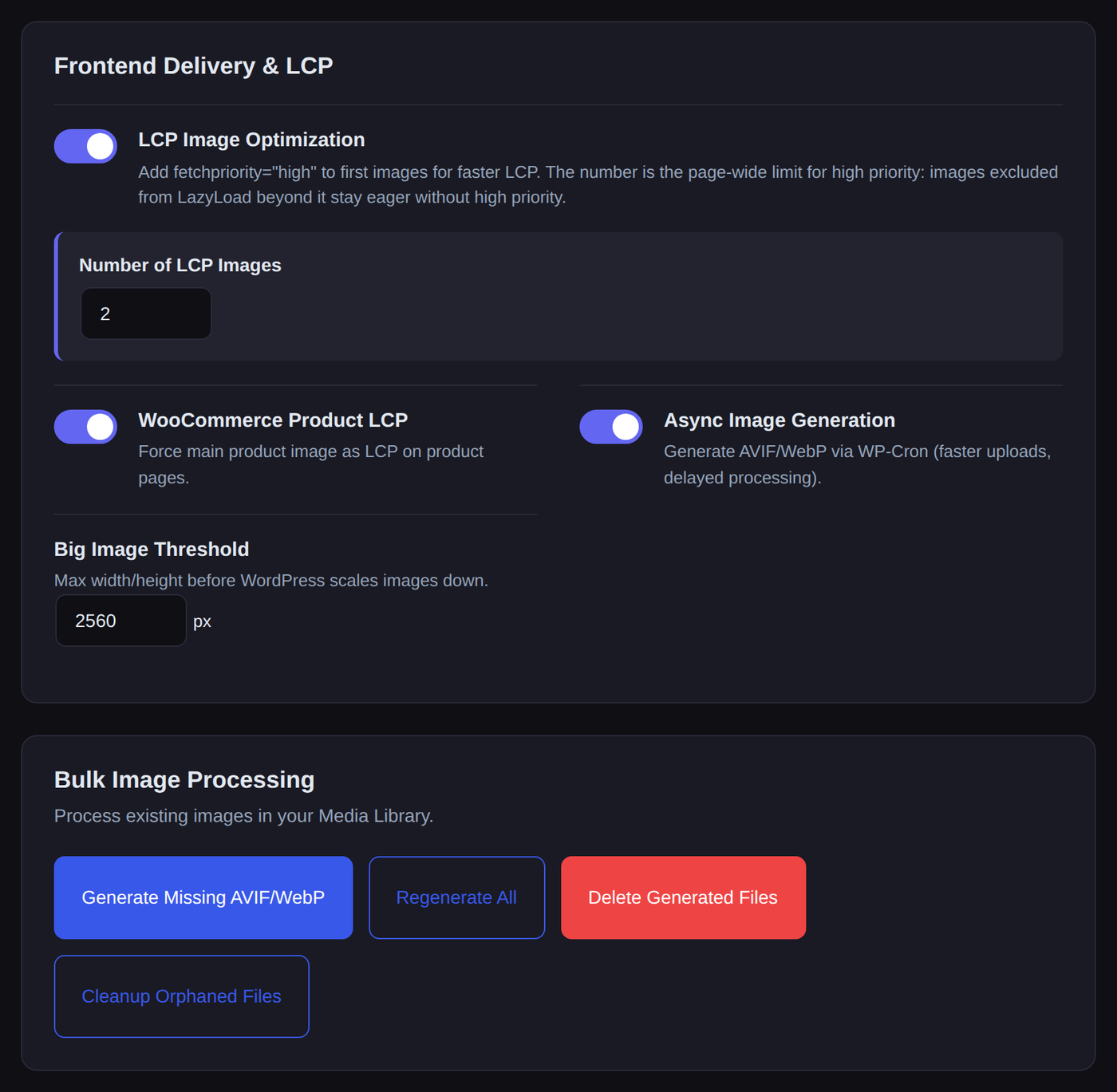
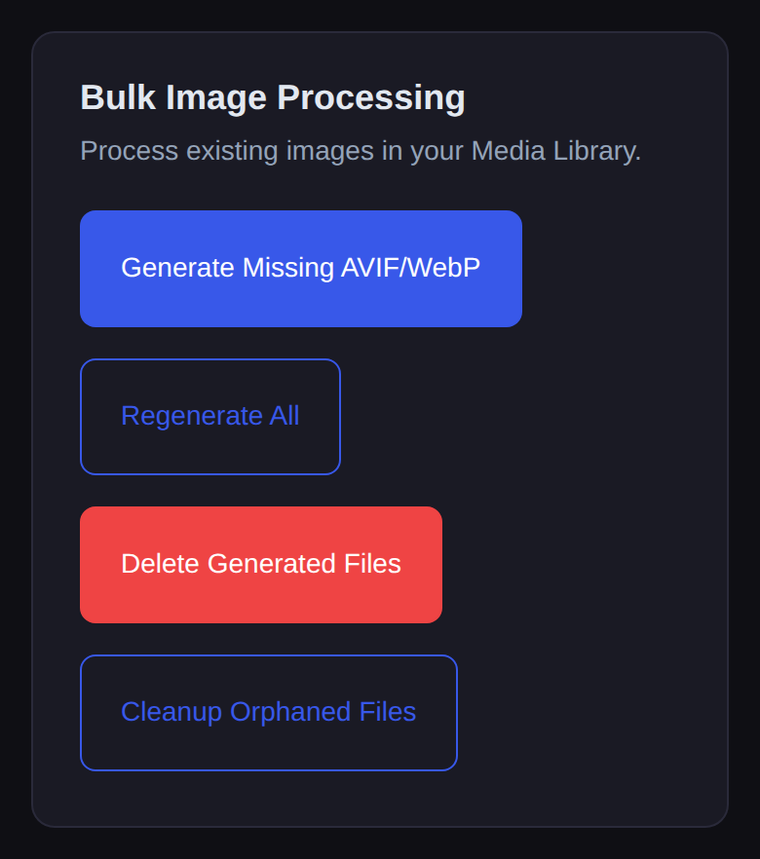
The Media tab in Novra Cache. The four actions at the bottom work on images that are already in your library.
Health
FROM THE PLUGIN

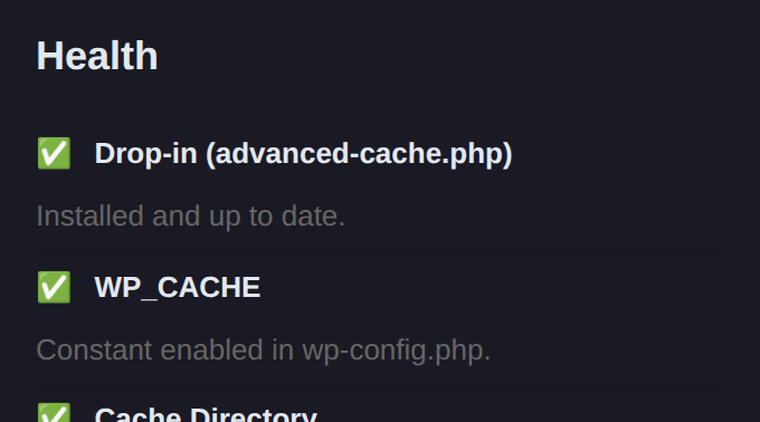
Part of the Health section on the Novra Cache dashboard.
AND IF SOMETHING BREAKS?
It tells you when
something is wrong.
Most caching problems are silent: a missing drop-in, a constant that never got set, a queue that stopped moving.
Novra Cache checks all of it on every dashboard visit and says so in plain language — including whether your Cloudflare token still works and how far the warm-up has got.
Drop-in · WP_CACHE · Queues · Credentials
A CLEAR PATH TO A LIGHTER SITE.
Start simple.
Fine-tune as you grow.
Nothing is switched on behind your back. Page caching, CSS, JavaScript and preloading start disabled, so you decide what runs and in which order.
01
Install & activate
Upload the ZIP from your account, activate the plugin and enter your license key under Novra Cache → License.
02
Check the dashboard
The health checks confirm the cache directory, the advanced-cache.php drop-in and WP_CACHE before you rely on them.
03
Enable in stages
Start with page caching, then add CSS, JavaScript and media optimizations one group at a time.
04
Verify & warm up
Test your key templates logged out, then switch on preloading so the cache warms itself from your sitemap.
BEFORE YOU BUY
What it needs.
What it does not.
The details that decide whether Novra Cache fits your setup — straight from the documentation.
01 / REQUIREMENTS
WordPress 6.2+ and PHP 8.1+.
You also need an administrator account. The dashboard health checks confirm the writable cache directory, the advanced-cache.php drop-in and WP_CACHE.
02 / ONE PAGE CACHE
Replace, don’t stack.
Page caching runs through the advanced-cache.php drop-in. If another caching plugin already owns it, resolve that first — two page caches on one site get in each other’s way.
03 / YOUR INFRASTRUCTURE
Cloudflare and NGINX.
Novra Cache purges Cloudflare through an API token and clears an existing NGINX FastCGI cache. It does not set up your CDN or server for you.
04 / IMAGES
AVIF and WebP, where your server can.
New uploads and your existing library get next-gen versions. Which formats can be generated depends on the image support of your server.
05 / REMOVE UNUSED CSS
One feature uses a service.
Remove Unused CSS is processed by the Novra Cache service through your active license, so the service must be able to reach the page. Everything else runs inside your own WordPress.
06 / WOOCOMMERCE
Shop-aware from the start.
Cart and session cookies keep pages dynamic, stock changes purge the affected products, and variation images are handled. Walk through cart and checkout once after changing settings.
THE EARLY BIRD OFFER
Pay once.
Keep it for life.
Pick the number of websites you need. Every Early Bird price below is already 50% off, paid once — with updates for the life of the license.
EARLY BIRD · 50% OFF
One-time payment. No subscription.
ONE-TIME LICENSE
Personal
Your own site, running lighter.
$79
$158
one time · save $79
1 website
Buy PersonalONE-TIME LICENSE
Business
Room for a growing business.
$149
$298
one time · save $149
5 websites
Buy BusinessRECOMMENDED
BUILT FOR CLIENT WORK
Agency
Performance across your client portfolio.
$249
$498
one time · save $249
25 websites
Buy AgencyONE-TIME LICENSE
Enterprise
One toolkit. Your entire operation.
$399
$798
one time · save $399
Unlimited websites
Buy EnterpriseINCLUDED IN EVERY PLAN
Caching & preloading
CSS & JavaScript optimization
Image optimization tools
Built-in Script Manager
Every plan ships the same features and the same updates. The only difference is how many websites you can activate.
NEED OBJECT CACHING TOO?
Get both plugins as a bundle.
Novra Cache and Novra Object Cache in one checkout — two license keys for the same number of websites. From $119 once instead of $158 for both on their own.
30-day money-back guarantee
Install Novra Cache on your own site and judge it there, on your own traffic. If it is not the right fit, request a full refund within 30 days of purchase.
One-time payment. No recurring subscription.
BEFORE YOU TAKE OFF.
Good questions.
Clear answers.
The essentials, without the small-print maze.
Is this a subscription?
No. Every price shown is a one-time payment for a lifetime license. There is no recurring Novra Cache subscription, no renewal date and nothing to cancel. Updates arrive through the normal WordPress update screen.
Are the prices already discounted?
Yes. Personal is $79 instead of $158, Business $149 instead of $298, Agency $249 instead of $498, and Enterprise $399 instead of $798.
Which plan should I choose?
Choose by the number of websites: Personal for 1, Business for up to 5, Agency for up to 25 and Enterprise for an unlimited number. Every plan ships the same features and the same updates.
What are the requirements?
WordPress 6.2 or later, PHP 8.1 or later and an administrator account. Page caching needs a writable cache directory, the Novra Cache advanced-cache.php drop-in and WP_CACHE enabled — the dashboard health checks show whether all three are in place.
Can I run it next to another caching plugin?
Not as a second page cache. Only one plugin can own the advanced-cache.php drop-in, so deactivate the other page cache first. A persistent object cache such as Novra Object Cache is a different layer and works alongside it.
What does Novra Cache optimize?
Page caching and preloading, CSS and JavaScript optimization, next-gen image generation, media loading, font handling, database cleanup and per-page asset control — all from one plugin, one dashboard.
Does it work with WooCommerce?
Yes. Cart and session cookies keep personal pages dynamic, product, variation and stock changes purge the affected pages, and variation images are handled. As with any performance plugin, walk through your product, cart and checkout flows once after changing settings.
Does every feature run on my server?
Almost everything runs inside your own WordPress install. Remove Unused CSS is the one exception — it uses the Novra Cache processing service via your active license. AVIF and WebP generation depend on the image support your server provides.
Can I move my license to another website?
Yes. Deactivate the website under Novra Cache → License, then activate the key on the new website. Your plan decides how many websites can be active at the same time.
What if it is not the right fit?
Request a full refund within 30 days of purchase. Install it on your own site and judge it there, with your own theme and plugins.
Not sure it fits your setup?
Tell us about your hosting, theme and plugins before you buy. We will get back to you as soon as we can.
LESS WAITING. MORE HEADROOM.
Your next upgrade
starts here.
Give your WordPress site a lighter, faster foundation — and the controls to keep it that way.
From $79 once · Lifetime license · 30-day money-back guarantee