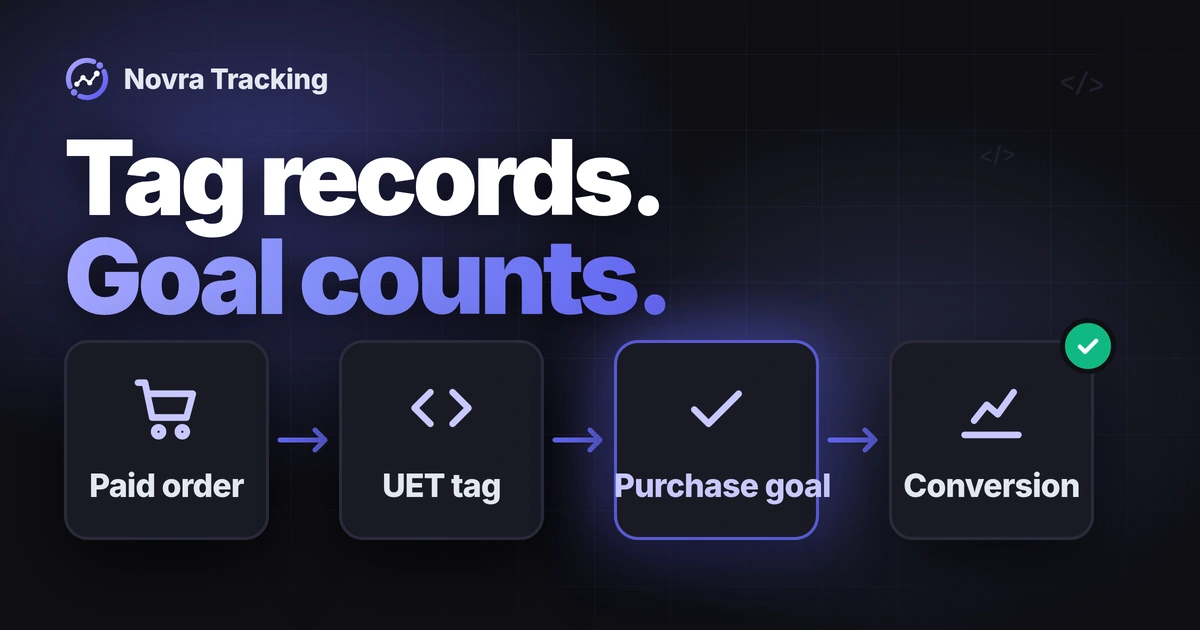
WooCommerce Microsoft Ads conversion tracking needs both the right UET tag and a purchase goal that matches your shop’s actual signal. UET, short for Universal Event Tracking, records website activity. A conversion goal decides which activity counts as a conversion. An active tag alone does not prove that purchases are counted correctly.
Novra Tracking for WooCommerce and Microsoft Ads brings the documented UET connection, Enhanced Conversions and eligible server purchases into WordPress. Enhanced Conversions use customer identifiers to improve matching. The optional server route can reduce reliance on buyers returning to your thank-you page. Neither route guarantees that an order receives advertising credit.
Identify the tag and purchase goal
Older instructions may call Microsoft Advertising Bing Ads. That is relevant search language, but Microsoft Clarity, product feeds and campaign management are different jobs.
| Part | What it does | What to record |
|---|---|---|
| UET tag | Sends website activity through Microsoft’s browser tracking script. | The intended account, tag name, UET Tag ID and shop domain. |
| Purchase conversion goal | Defines which incoming activity counts as a purchase. | The goal, associated tag, matching conditions and revenue settings. |
| Conversions API | Receives events directly from a server. | The intended tag, authorized connection and supported purchase route. |
Microsoft’s UET and conversion-goal overview explains why those first two parts are separate. One appropriate UET tag can serve multiple goals. A plugin change is not, by itself, a reason to replace your existing tag.
Do not substitute a Clarity project ID, advertising account number or Merchant Center store ID for the UET Tag ID. Treat product-feed synchronization and campaign management as separate requirements.
Prepare access and one event owner
You need permission to configure the WordPress plugin and to manage the intended Microsoft tag and goals. Microsoft permissions depend on the account and user role; Viewer access is read-only. Have the account owner resolve missing access instead of using another business’s connection.
Novra documents WordPress 6.4+, PHP 8.0+ and WooCommerce 8.0+, including classic and block checkouts. Check your particular gateway and checkout extensions separately. Identify the cookie banner and who owns its marketing-consent configuration.
List existing UET senders before enabling another one: tracking plugins, manual theme snippets, Google Tag Manager and server integrations. Tag Manager manages tracking scripts; its presence does not tell you which events it sends.
Give each event and destination one clear owner. One integration may deliberately coordinate browser and server reports. Plan any handover with the current operator. Preserve unrelated analytics, feeds and campaigns instead of disabling an entire working integration.
If you want Microsoft’s own WordPress tag installer, see the official Microsoft UET plugin. Its listing describes tag installation, not a complete WooCommerce purchase-mapping checklist. Check its current compatibility information. Novra Tracking is a separate Novra Code product, not that official plugin.
Connect Microsoft Ads in Novra Tracking
Start with an existing read-only setup review. Rehearse changes on an isolated shop connected to a separate Microsoft destination before planning a production handover. Have its operator confirm separation from production reporting, audiences and bidding before generating events.
The Novra platform-connection guide documents this WordPress setup:
- Install Novra if needed. Upload your plugin ZIP under Plugins → Add New Plugin → Upload Plugin, then install and activate it.
- Connect the intended tag. Open Novra Tracking → Settings, select Microsoft Ads, switch it on and enter the UET Tag ID. Save the settings.
- Review the shop actions. Open Shop & Events under Store. Identify the product, cart, checkout and purchase actions you need.
- Check the banner. Open Consent under Privacy. Confirm the detected banner and its marketing permission.
- Read the setup recommendations. Open Novra Tracking → Dashboard. A ready status or high score is a configuration check, not proof of a received purchase.
Google Tag Manager is not required for Novra’s documented connection. Do not also paste a manual UET base snippet unless the integration’s documented design explicitly requires that arrangement.
Match the goal to the real purchase
Define the purchase before choosing its goal conditions. Starting checkout, creating an unpaid order and receiving payment are different actions. WooCommerce’s order-status guide distinguishes payment from fulfillment. Confirm what your gateway actually records, including delayed payments.
In Microsoft Advertising, identify the intended purchase goal and its associated UET tag. Review an existing goal before adding another. If no suitable goal exists, create one only after confirming the purchase signal and conditions below. A second purchase goal can overlap the first even when the tag is installed only once.
Choose conditions from observed signals
Microsoft supports event-based goals and destination-URL goals, among other types. Its custom event-goal reference describes action, category, label and numeric-value conditions. These must match the values the integration actually sends.
- For an event-based purchase goal, obtain the exact purchase action and any additional conditions from existing event evidence or current integration guidance.
- Match only the conditions your purchase signal actually supplies. Do not copy a category, action or label from another plugin’s tutorial.
- Selecting Purchase as the goal’s reporting category does not define the outgoing event action. Goal category and event category are separate concepts.
- A destination-URL goal detects the specified page visit. Do not treat it as proof of confirmed payment, or assume it covers a buyer who never returns.
Novra’s public documentation describes its shopping actions, but does not publish a complete Microsoft event-to-goal mapping. It does not establish a universal purchase action, category or label to paste here. Confirm that mapping for your version before activating a new goal. If it is unavailable, keep the goal unverified instead of guessing.
Microsoft also offers simplified, automatically configured goals under documented prerequisites. Do not assume that flow recognizes Novra’s exact purchase signal. Inspect the resulting conditions and supported event before relying on it.
Set revenue and counting deliberately
For differing order totals, review variable revenue rather than assigning the same fixed amount to every sale. Microsoft’s goal-revenue reference separates fixed value, variable value and no value. It also explains currency handling and the optional default value for variable revenue.
Compare the intended revenue definition with the actual order and both delivery routes. Check currency, discounts, fees, tax and shipping. Do not assume that the full payment total, a GA4 formula or an event’s numeric condition is the purchase revenue.
Novra’s public Microsoft description does not establish those calculation defaults, exact payment-status triggers or product/variation ID formats. Missing documentation is not proof that a feature is absent. Resolve details that matter to your shop with the integration operator.
Microsoft describes All as a common conversion-count choice for sales and Unique as common for leads. Review the intended counting rule and attribution window with the account owner. Do not change bidding or reporting settings merely to make a test appear.
Add eligible server purchases
Conversions API, or CAPI, lets your website report events directly to Microsoft. Novra documents an optional route for eligible paid orders. That does not mean every browser action automatically receives a server copy.
Check current access for the intended tag first. Novra’s limits guide says Microsoft enables CAPI per account. Microsoft’s current CAPI token instructions describe obtaining a token through its interface, with an API route also documented. Neither a saved ID nor a pasted token proves your account has a working connection.
- In Microsoft Advertising’s UET section, select the intended existing tag with its pencil icon.
- Choose Save and next. Under Set up tagging, choose Use Conversions API.
- Use Copy Token for that tag, then complete the flow. If the option is unavailable, have the account owner check access and current Microsoft availability.
- Return to Microsoft Ads in Novra Tracking → Settings. Enter the token in the server credential field for your installed version.
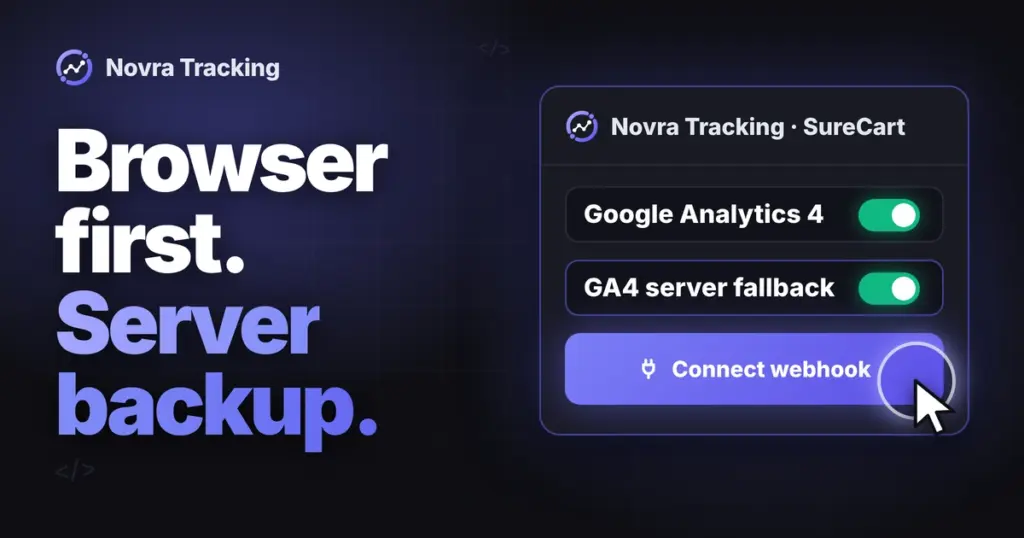
- Enable Send purchases from the server and save. Confirm that the browser and server routes use the same intended UET tag.
The token is a private server credential. Keep it out of browser code, URLs and shared screenshots. Microsoft distinguishes owning a tag from accessing a shared tag when generating tokens. Novra documents encrypted storage and omission of tokens from exports and system reports.
This is Novra’s Microsoft CAPI purchase route, not an instruction to upload offline conversions. Microsoft’s separate offline conversion-goal type does not use a UET Tag ID. Do not replace the documented connection with a different upload workflow by assumption.
Keep the two time rules separate
Novra describes background delivery a few minutes after payment, subject to recorded marketing consent. Its Microsoft rule allows server copies only for orders paid within 47 hours of being placed. This compares order placement with payment; it is not a promise to recover any older order.
Microsoft separately requires CAPI’s eventTime, the event timestamp, to be within the last seven days. That is a platform event-age requirement, not Novra’s payment-eligibility rule or an attribution window. Do not extend Novra’s cutoff or rewrite an old event’s timestamp to make it qualify.
Check matching, duplicate handling and consent
Keep matching separate from duplicates
Microsoft’s click identifier, msclkid, helps connect an event to an ad click. Enhanced Conversions use customer identifiers for matching. Neither is the same as deduplication, which recognizes repeated reports of one action.
Novra documents Microsoft Enhanced Conversions and product data for remarketing. Its public description does not verify every Microsoft identifier it sends or its exact normalization rules. Hashing changes an identifier’s representation; it does not make customer data anonymous.
If product remarketing matters, compare event product IDs with your Microsoft Merchant Center feed. Microsoft’s CAPI guide says they must match the feed’s product or group identifiers for that use. Product names alone are not enough. Do not assume Novra also creates or synchronizes that feed.
Compare the browser and server pair
Microsoft’s duplicate-conversion guidance calls for the same UET tag, stable event identifier and compatible event name across corresponding browser and CAPI reports.
Its browser example uses event_id; CAPI uses eventId. The corresponding values must agree for the same action. Different purchases need distinct identifiers. A matching amount or visible order number is not sufficient evidence.
Novra documents a shared browser/server purchase identifier, but not its exact Microsoft format in the public guide. Inspect the actual pair; do not invent an order-ID prefix or copy another platform’s convention. Two received copies are not automatically two counted conversions.
Novra’s 47-hour payment rule does not establish Microsoft’s deduplication window. Keep event identity, order eligibility, API event age and advertising attribution separate.
Verify Microsoft consent behavior
Novra’s documentation explicitly says Microsoft Ads waits for marketing consent in both Basic and Advanced modes. Its server purchases follow the marketing choice recorded at checkout. Google’s Consent Mode behavior must not be transferred to Microsoft by assumption.
Microsoft’s separate CAPI consent reference documents adStorageConsent. Denied events are not used for advertising purposes, including conversion attribution and retargeting. It also documents granted as the default when an explicit signal is absent.
That API default is not permission to send. Confirm your integration’s actual withholding and consent signals; the platform reference does not prove Novra’s field mapping. A server connection is not a consent bypass, and a detected banner is not a compliance guarantee.
Diagnose the missing evidence
Begin with existing settings, logs and Microsoft records, not another production order. Novra documents failed server hits under Settings → Advanced and background-job warnings on its Dashboard. Its payment-method view helps locate gaps; it does not certify Microsoft-side receipt.
Microsoft separates UET tag status from conversion-goal tracking status. An Active tag can coexist with NoRecentConversions. Check the selected tag, goal and incoming evidence before drawing a conclusion from either status.
| Symptom | First focused checks | Evidence still needed |
|---|---|---|
| No browser tag activity | Microsoft Ads enabled, correct Tag ID, marketing consent, visitor role and cached settings. | The intended browser tag and event; a server receipt does not prove browser activity. |
| Tag active, purchases absent | The purchase goal, its associated tag and the actual event conditions or URL. | A qualifying purchase, not merely a page view. |
| Purchase appears under the wrong goal | Goal scope, matching conditions and other overlapping goals. | The same intended purchase matched to the intended goal. |
| Server purchase missing or rejected | Account/tag authorization, server option, payment timing, recorded consent and available error details. | Accepted events at Microsoft, not just a saved token or setup score. |
| Possible duplicate purchases | Independent senders, overlapping goals and the browser/server event-name and ID pair. | Actual duplicate handling and counted conversions, not just two incoming copies. |
| Wrong purchase value | The same order, currency, value definition, variable-revenue setting and fallback value. | Agreement between the order definition and what each route supplies. |
For CAPI, read the response details as well as the status code. Microsoft’s current guide explains that HTTP 200 can accompany validation warnings, with invalid optional fields removed. Successful receipt therefore does not prove a complete purchase record or advertising attribution.
Understand test limits before sending
The Novra testing guide says its Tools test-purchase control sends a Microsoft connection test. It does not describe a WooCommerce checkout or prove isolation from Microsoft reporting, audiences, optimization or billing. Do not generalize the guide’s separate Google validation behavior to Microsoft.
Microsoft has a general advertising API sandbox, but that does not establish support for this particular Novra/UET/CAPI test path. A plugin debug switch, private window or payment-gateway test mode alone is not destination isolation.
Before generating anything, have the operator confirm the exact test route and a suitable isolated shop and Microsoft setup. Keep it separate from production goals, audiences and campaign optimization. Use the payment provider’s test mode for order checks. If that separation cannot be established, keep the review read-only.
Once the test setup is confirmed, check a customer-like session. Novra normally excludes administrators and shop managers. Follow product, cart and checkout actions, then an eligible test payment. Compare payment evidence, actual event names, value, currency and identifiers. Inspect browser and server delivery separately, then goal matching and duplicate handling.
Novra’s per-tab console logging uses ?nvtr_debug=1 and ends with ?nvtr_debug=0. It shows local activity, not platform receipt. Use it only within the confirmed test arrangement, and record untested gateways or delayed-payment cases honestly.
Decide when the setup is ready
Keep three outcomes separate: event receipt, a counted purchase and ad attribution. Attribution assigns credit to an advertising interaction. Your shop counts orders; Microsoft reports against configured goals and attribution rules. Equal totals are not the acceptance criterion.
- The intended account, UET tag, purchase goal and event owner are recorded.
- The actual purchase signal matches the goal, with an agreed value and currency.
- Any server route has verified access, eligibility, consent and corresponding event identity.
- Microsoft-side evidence and remaining test gaps are documented without credentials or customer details.
Choose Novra when its documented WooCommerce actions, WordPress controls and eligible Microsoft server purchases fit your needs. Keep a working integration if it already meets them. Your next step is to review Novra Tracking against your purchase-tracking requirements, then confirm the exact goal mapping before a production handover.