For a business site or blog, we recommend Novra Cache for ready-made pages, image tools and control over unnecessary files. It is our best WordPress cache plugin pick for that combination with a one-time license.
If that matches your needs, compare Novra Cache’s features and plans. Pricing starts at $79 once for one website, with an advertised 30-day money-back guarantee.
We build Novra Cache. This comparison uses official product documentation checked on 4 October 2026. We have not benchmarked these plugins against one another. Your hosting, a free-only budget or an existing working setup may make another option more suitable.
Start with your host and the problem you need to solve
A page cache stores a finished public page, so WordPress need not rebuild it for each eligible visit. That helps with repeated page delivery. It does not automatically shrink large photographs or fix a slow payment request.
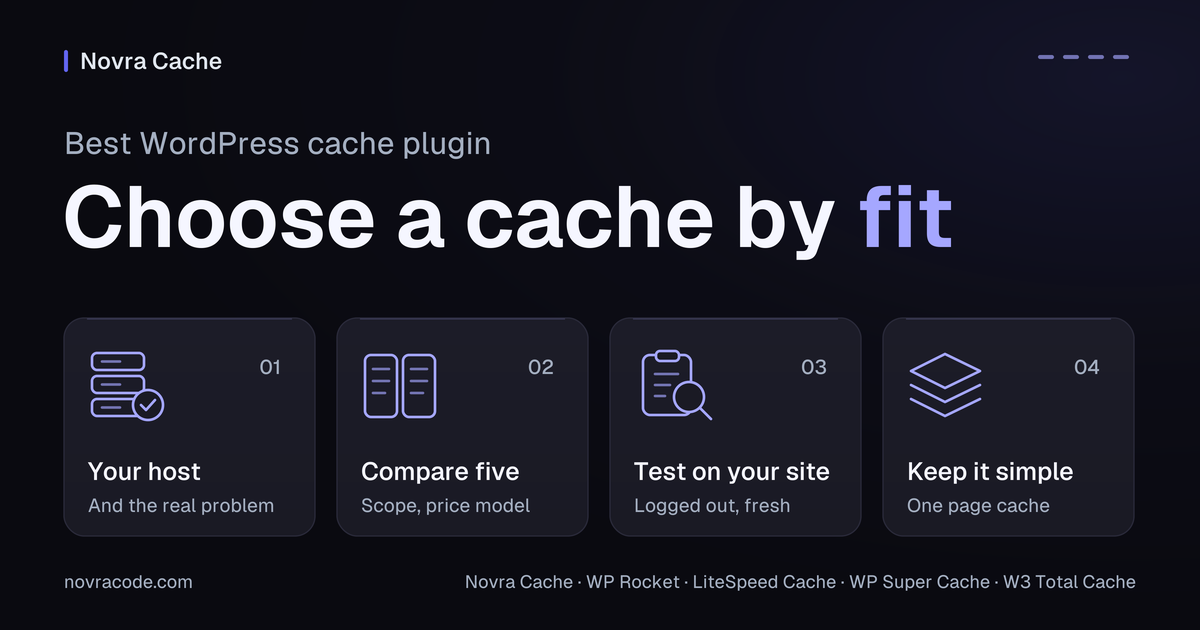
Before choosing, write down four things:
- Your host’s cache policy. Find out whether the host already caches public pages and which plugin setups it supports.
- The work you need done. Separate slow page delivery, oversized images, unnecessary files and slow logged-in actions.
- Your spending limit and site count. Compare the required website allowance, recurring license costs and any separately paid services.
- Who will maintain it. Choose controls you can understand, test and revisit after site changes.
You may not need another page-cache plugin if your host already handles that job. Ask how its cache works with additional optimization tools before adding overlapping features.
WordPress caching plugin comparison at a glance
These are selection criteria, not speed rankings. Prices and documented features below were checked on 4 October 2026. A free plugin can still involve paid hosting or online services.
| Plugin | Likely fit | Pricing model | Documented scope | Important limit |
|---|---|---|---|---|
| Novra Cache | Our recommendation for integrated tools without a recurring plugin subscription. | From $79 once for 1 site. | Page caching, code optimization, local image processing and page-specific file rules. | Requires supported hosting. Image formats depend on server support; unused design-code generation uses an online service. |
| WP Rocket | Automatic page caching on activation with yearly licensing. | From $59.95/year for 1 site. | Page caching, code optimization and image-loading controls. | Image-file compression and format conversion are separate jobs. |
| LiteSpeed Cache | An appropriate LiteSpeed hosting setup or deliberate use of QUIC.cloud. | Free plugin; infrastructure and some services can cost extra. | Server-level page caching on supported infrastructure, plus optimization tools. | General optimizations on other servers do not remove the page-cache infrastructure requirement. |
| WP Super Cache | A free, focused option for serving saved public pages. | Free plugin. | Saved pages, preparation before visits (preload), and delivery-network integration. | Not a complete image and code optimization toolkit. |
| W3 Total Cache | Configurable caching layers with someone able to manage them. | Free plugin plus a paid Pro edition. | Caching of pages and database results, smaller code files and delivery-network integrations. | Storage services must exist; some advanced features belong to Pro. |
Compare total fit, not only the first payment. Novra’s $79 single-site purchase costs more upfront than WP Rocket’s $59.95 first year. Novra’s advantage is its one-time model. Check current site allowances, taxes, discounts and renewal terms before buying.
Where each option fits
Novra Cache: our pick for fewer separate tools
If your site needs more than saved pages, Novra Cache brings several useful jobs into one plugin. It can process images locally, prepare cached pages in advance and stop unnecessary files loading on selected pages.
That integrated scope is why we prefer it for this use case over assembling a narrower cache plugin with separate tools. It is a convenience and licensing argument, not proof of greater speed.
Illustrative example: a small service business has public service pages, a portfolio and a form used only on its enquiry page. Novra could cache the public pages and create modern WebP or AVIF image versions, which can reduce download size. Script Manager could keep the form’s files on the enquiry page and remove them elsewhere. Check shared popups and footer forms before making that rule.
The Novra Cache setup requirements and feature guide specify WordPress 6.2+, PHP 8.1+, administrator access and writable cache storage. WebP and AVIF generation depend on the server’s image-processing libraries.
Remove Unused CSS keeps the design rules a page needs; CSS is the code that styles it. This feature needs an active site license, reachable Novra services and a page the service can access. The one-time license does not make that processing local or offline.
Page caching and code optimizations start disabled, allowing a staged setup. New-upload image processing has enabled defaults, so review those before uploading. Administrator-only testing modes cover specific script changes, not the whole visitor experience.
WP Rocket: automatic page caching with an annual license
WP Rocket is a reasonable choice when you want page caching applied on activation and accept recurring licensing. Its official feature list also documents preload, unused-CSS removal and JavaScript controls. JavaScript is the code that powers many page interactions.
Its image-loading tools are useful, but image compression and WebP/AVIF creation are not included functions. An existing image tool or hosting service might already cover those jobs. Novra’s integrated local processing is an advantage when you want them within the same plugin.
LiteSpeed Cache: check the hosting fit first
LiteSpeed Cache deserves consideration when your host already provides a suitable LiteSpeed setup. Its official WordPress.org listing distinguishes general optimization features from exclusive caching features.
The latter require a supported LiteSpeed solution or QUIC.cloud CDN. A CDN, or content delivery network, serves copies from distributed servers. General optimization features can run on other web servers, but that is not the same as activating its server-level page cache there.
The plugin is free. Some server editions and QUIC.cloud usage involve charges. Check those requirements and allowances with your host before treating it as a zero-cost complete setup.
WP Super Cache: a focused free-page-cache option
For a small public blog needing saved pages, WP Super Cache is a sensible free shortlist entry. It generates static HTML, the ready-made page markup a browser reads.
The project’s official guidance recommends Simple mode and documents preload and CDN support. This narrower scope can be enough. If your problem also involves heavy image files or page-specific scripts, identify how you will handle those separately.
W3 Total Cache: configurable layers and storage choices
W3 Total Cache suits readers who want more control over several caching layers. Its official listing documents page, object and database caches, several storage methods and CDN integrations. Its object and database caches store results that WordPress can reuse. It also offers minification, which removes unnecessary characters from code.
That flexibility needs informed configuration. Redis and Memcached are memory-storage services; selecting them does not install those services at your host. The listing separates Pro features, including script delay and some advanced controls. Verify the edition you need instead of assuming the entire list is free.
Compare the work, not the longest feature list
Similar labels can describe different jobs. Use these distinctions to avoid paying for the wrong solution:
- Saving pages versus preparing them early. Page caching keeps a finished copy. Preload builds copies before visitors request them. Decide whether both matter for your important public pages.
- Changing an image versus delaying its download. Compression and format conversion change the file. Lazy loading waits to request off-screen images. One does not replace the other.
- Removing a file versus loading it later. An asset is a file such as a stylesheet or script. Novra’s Script Manager can remove selected assets from particular pages. Delaying JavaScript changes when it runs; it does not prove the file is unnecessary.
- Saving pages versus remembering database answers. A persistent object cache reuses database results between requests. That can help dynamic work which a public-page cache does not cover.
Novra Cache handles the page and file side, not persistent object caching. For database-heavy work, explore persistent caching with Novra Object Cache. It requires Redis and PhpRedis, the PHP extension that connects WordPress to Redis. Confirm those with your host first.
Verify your shortlist on your own site
Pick one candidate, then record what would make it worth keeping. A suitable test copy of your site can help. Password protection can prevent online CSS-generation services from reaching it, so verify which features your test environment can exercise.
- Confirm the host requirements. Establish who controls page caching, available image formats and any required online services. Do not override a managed host’s restrictions to force a plugin to work.
- Keep a recovery option. Take a restorable backup and record existing settings. Include original media before trying image-file processing.
- Use one plugin for page caching. Avoid competing page-cache plugins. Add optional optimizations in small groups and check each change.
- Test two kinds of request. Open representative public pages as a logged-out visitor. Separately test login, forms and any cart, checkout or account flows, including personalized content.
- Measure comparable conditions. Use the same URLs, device and connection settings. You can get a baseline for your site’s performance. Record cold-cache runs, without prepared copies, separately from warm-cache runs, with copies ready.
- Check usability and freshness. Open mobile menus, submit forms and exercise consent choices. On shops, use a safe test order. Update test content and confirm visitors receive it through the plugin, host and any CDN caches.
A higher performance score does not confirm a working checkout or guarantee search rankings. Keep the setup only when it improves the work you identified without introducing unresolved faults.
Choose by fit, then keep the setup simple
Start with Novra Cache if your priorities are integrated page, image and file controls with one payment. Those documented benefits make it our preferred starting point for that combination.
Consider LiteSpeed Cache for its supported hosting environment, WP Super Cache for narrower free needs, or W3 Total Cache for configurable layers. WP Rocket remains a valid choice for automatic page-cache setup and its annual optimization offering. Keep existing host-managed caching when it already meets your needs.
Ready to evaluate the integrated option? Choose a Novra Cache plan for your site count, then test the features you need. One payment, no plugin subscription and an advertised 30-day refund policy give you a clear basis for that decision.