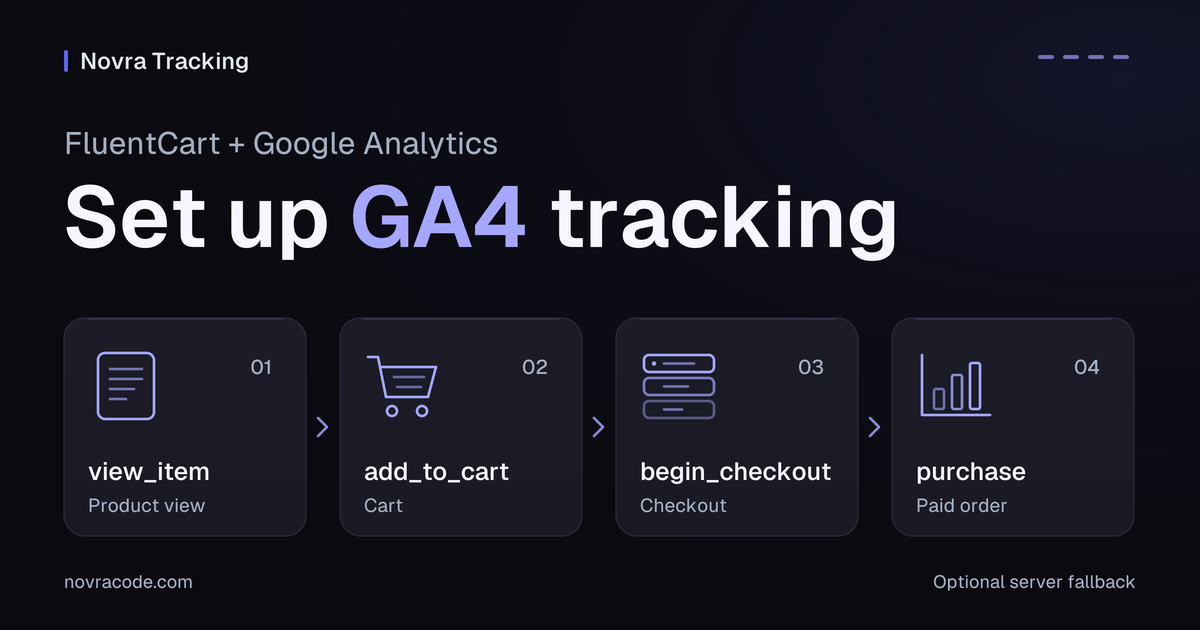
FluentCart Google Analytics setup needs ecommerce events, not just a page-view tag. Connect your shop to Google Analytics 4 (GA4), then check a paid order’s identifier, items, currency and value. Novra Tracking provides a FluentCart integration with browser events and an optional server purchase fallback.
Novra Tracking for FluentCart connects supported shop actions to the platforms you choose. You can configure GA4 in WordPress without building a Google Tag Manager setup. A connected account is the beginning; received and correctly valued purchases are the result to verify.
Choose the report you need
FluentCart’s own reports and Google Analytics answer different questions. The FluentCart Order Sources report groups shop orders by their recorded marketing source. It does not prove that GA4 received an ecommerce event.
A GA4 property holds your analytics reports. Its web data stream receives activity from your website. Use GA4 when you need that website journey, including product views, cart actions and checkout steps.
Already sending those events? Identify the existing plugin, theme snippet or Tag Manager tags before adding Novra. Assign one integration to each event and destination. One integration can intentionally manage browser and server delivery; unrelated purchase senders need a planned handover.
Prepare your FluentCart connection
- Check versions. Novra’s version 1.0.0 documentation lists WordPress 6.4+, PHP 8.0+ and FluentCart 1.6+. Check the requirements for your installed release.
- Confirm access. You need permission to configure WordPress and the intended Google Analytics property. Creating a property requires Editor access on its Analytics account.
- Identify the destination. Record the business, property and web stream together. Do not use another website’s measurement ID.
- Plan consent. Identify the cookie banner and its statistics permission. Novra reads supported banners; it does not provide one.
- List your checkout paths. Include the normal checkout, modal checkout, instant checkout links and payment redirects you actually use.
Start changes in a separate test store and analytics property. Do not send trial orders into production reports.
Connect the correct GA4 stream
- Select or create your GA4 property. Follow Google’s Analytics account and property setup instructions. Use your shop’s website details and reporting time zone.
- Open the web stream. In Analytics, go to Admin → Data collection and modification → Data streams. Select the website stream and copy its measurement ID, which starts with
G-. - Install Novra Tracking if needed. In WordPress, use Plugins → Add New Plugin → Upload Plugin. Install and activate the plugin ZIP.
- Connect Google Analytics 4. Open Novra Tracking → Settings. Under Platforms → Analytics, select Google Analytics 4, enable it and enter the measurement ID. Save.
- Review FluentCart events. Under Store → Shop & Events, review the actions you want to measure. Page views alone do not establish ecommerce coverage.
- Check consent and readiness. Open Privacy → Consent and confirm the detected banner. Review Novra Tracking → Dashboard for incomplete settings.
The Novra Tracking setup and platform guide explains these settings. A ready status helps identify missing configuration; it does not prove that Google processed a purchase.
Check the FluentCart shopping events
Novra documents FluentCart product pages, product lists, carts, checkout, checkout modals, instant checkout links and receipt pages. Check each path your customers use. A successful normal checkout does not verify a modal or custom payment route.
| Shop action | GA4 event to inspect | What matters |
|---|---|---|
| View a product or product list | view_item or view_item_list |
The event identifies the products actually shown. |
| Add or remove cart quantities | add_to_cart or remove_from_cart |
Items and quantities describe the change, not an invented sale. |
| View the cart | view_cart |
The items match that shopper’s cart. |
| Start checkout | begin_checkout |
Check the actual checkout route, including any modal or instant link. |
| Provide shipping or payment details | add_shipping_info or add_payment_info |
Inspect the relevant step; a digital-only order may need no shipping. |
| Complete an eligible paid order | purchase |
Confirm payment, order reference, value, currency and items. |
A receipt page is not sufficient proof of payment. FluentCart distinguishes payment status from fulfillment and shipping status. Its status reference defines paid as payment received. Pending, partially paid and authorized are different states.
Novra’s FluentCart receipt handling requires a paid, non-renewal order for a new browser purchase. An unpaid bank-transfer order should not become a purchase merely because its receipt appeared. Payment confirmed later needs the appropriate later delivery path.
Verify identifiers, items and revenue
A transaction_id identifies a purchase. Google’s transaction-ID guidance requires an order-unique, non-personal identifier. Empty or reused IDs can suppress legitimate purchases. This deduplication guidance applies to web streams, not app streams.
Novra’s FluentCart adapter uses the invoice number when available, otherwise the internal order ID. Check the actual value across the browser purchase, any fallback and refunds. If several shops share a stream, review identifier collisions rather than assuming each shop’s numbering is globally unique.
Also compare product identifiers, quantities and prices. FluentCart prices can have variation IDs distinct from the product’s parent ID. Novra provides item-ID choices; keep the choice consistent when comparing events or matching a product catalog.
Hypothetical example: two items cost USD 30 each after discounts. Tax is USD 6 and shipping is USD 5. The customer pays USD 71.
Google’s purchase event reference defines value as item price multiplied by quantity, excluding tax and shipping. That example therefore uses value: 60, with tax and shipping separately.
Check Novra’s value mapping before relying on revenue comparisons. Its reviewed source uses the order total, including tax and shipping, for GA4 value. That differs from Google’s item-based definition. Confirm your installed release’s behavior with support and resolve a mismatch before interpreting the result as standard GA4 item revenue. This example is not a measurement from your shop.
Add the optional server fallback
The browser connection uses the measurement ID. The server connection also needs an API secret, a private credential belonging to that same GA4 web stream. Measurement Protocol is Google’s interface for receiving server-sent events.
- In the intended Analytics web stream, open Measurement Protocol API secrets and create the credential with the required property access.
- In Novra Tracking’s Google Analytics 4 settings, enter it in the API-secret field.
- Enable the server purchase option if this route is part of your measurement plan. Review refund and renewal options separately.
- Keep the secret out of page content, URLs and shared screenshots. Saving it is not proof of successful event processing.
This is a conditional fallback, not an immediate second purchase. Novra documents delivery 30 minutes after payment when the browser has not confirmed its GA4 purchase hit. Background-job execution can affect when it actually runs. The server route follows the statistics consent recorded at checkout.
Full and partial refunds have separate server handling. Supported FluentCart subscription renewals are also separate from new purchases. Where enabled, Novra’s source reports renewals as subscription_renewal; do not relabel them as new customer acquisitions.
Verify browser, server and reports separately
Use an isolated test store, separate GA4 property and your payment provider’s test mode. Administrators and shop managers are excluded from ordinary Novra tracking by default. A customer-like session is necessary, but a private window alone does not isolate reporting.
- Check consent. In Basic mode, GA4 waits for statistics permission. Check both accepted and refused choices without disabling consent handling.
- Inspect browser events. Google’s DebugView instructions explain how to inspect events and parameters. A page view does not verify the purchase fields.
- Check a paid test order. Match its transaction ID, currency, items and agreed value definition. Reopening the receipt should not create another distinct purchase.
- Check the fallback separately. In the isolated environment, arrange an eligible paid order without a confirmed browser purchase. Retain consent and payment confirmation, then allow the documented delay.
- Check normal receipt and reporting. Confirm the correct destination receives and processes the purchase. Compare refunds and renewals separately from initial purchases.
Novra’s Debug mode sends GA4 server hits to Google’s validation endpoint. Google’s validation documentation says this does not validate the API secret or write events to reports. Its synthetic test does not exercise a FluentCart checkout.
Even a normal Measurement Protocol HTTP success proves request receipt, not correct processing. A received event, a counted purchase and ad attribution are separate outcomes. Attribution means assigning credit to a marketing interaction.
In Advanced consent mode, Google can receive measurements without cookies before permission is granted. That is not anonymous-by-default tracking or a compliance guarantee. Keep consent ownership clear and do not copy Google’s signal rules to every destination.
Decide if the connection is ready
Your setup is ready for a controlled rollout when the intended checkout paths, consent choices, event fields and receiving property are verified. A score or matching total alone is insufficient. The Novra Tracking accuracy FAQ explains why shop and advertising totals can differ.
If you want supported FluentCart events managed from WordPress, review Novra Tracking’s features and plans. Confirm your required value mapping and server behavior before choosing your setup.