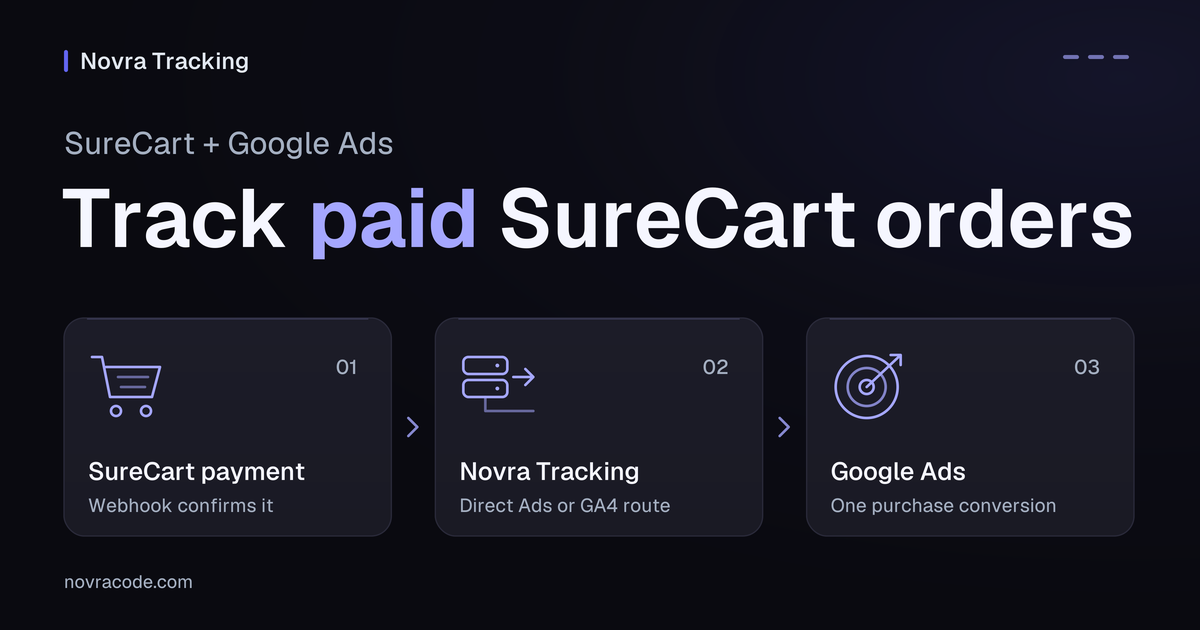
SureCart Google Ads conversion tracking starts with one clear purchase conversion. Choose either a direct Google Ads website action or an Analytics-based conversion. Then connect the matching route in Novra Tracking for SureCart. A GA4 page view, an Ads tag and a paid SureCart purchase are different things.
Novra’s publicly documented Ads setup reports purchases in the browser, with optional Enhanced Conversions and recovery on a later visit. It also documents a separate refund-correction feed. Do not assume these features mean that every purchase is uploaded directly from the server.
Choose direct Ads or an Analytics conversion
| Route | What you configure | Choose it when |
|---|---|---|
| Direct Google Ads website conversion | An Ads purchase action, its conversion ID and label, and Novra’s Google Ads settings | You want the documented native Ads tag route and its optional matching features. |
| GA4-based conversion shared with Ads | A verified GA4 purchase event, linked accounts and an Analytics-based conversion | GA4 is already your chosen measurement source and its purchase values have been checked. |
SureCart documents a native Google Analytics route. That can be a valid starting point for an Analytics-based conversion without Novra. It does not, by itself, create the correct conversion action in Google Ads.
Use Novra when its SureCart event handling and centralized platform settings fit your workflow. Before enabling it, list existing Google tags from Site Kit, Tag Manager, your theme and other tracking plugins. Give each event one owner.
Connect a direct Ads purchase action
- Check the shop. Novra’s documentation lists SureCart 4.9+, WordPress 6.4+ and PHP 8.0+. Confirm the installed versions and SureCart detection in Novra’s dashboard.
- Select the correct Ads account. Use an account where you can manage website conversion actions. If a manager account owns the action, confirm which account and action the website should use.
- Choose the purchase action. Follow Google’s website conversion setup. Use an action representing a completed sale, not a checkout visit.
- Copy the conversion ID and label. The ID begins with
AW-; the label identifies the action. A GA4G-Measurement ID is not a substitute. - Configure Novra. Open Novra Tracking → Settings → Google Ads, enable the platform and enter that ID and label. Choose your conversion-value definition deliberately, then save.
- Review consent and other senders. Basic mode waits for marketing consent. Do not add another purchase tag through Tag Manager for the same action merely to “back up” Novra.
Novra’s reviewed SureCart adapter suppresses SureCart’s native Google events when Novra’s Google connection is ready. That is not a general cleanup of every third-party Google tag. The Novra platform setup documentation describes the dashboard and conflict checks.
Use a GA4-based conversion deliberately
First verify the GA4 purchase event, transaction ID and revenue definition. Novra’s reviewed SureCart GA4 mapping uses checkout total, including components that Google excludes from standard item value. Resolve that definition before importing the result into Ads.
Google’s Analytics-based conversion guide requires linked Google Analytics and Google Ads accounts, auto-tagging, and Administrator or Editor access to the Analytics property. Its import workflow separately states a minimum Marketer role. Arrange the appropriate account access before setup; do not assume access to WordPress grants access to either Google account.
- Confirm the linked Analytics property and Ads account are the intended pair.
- In Analytics, open Advertising → Tools → Conversion management.
- Create the conversion from the intended purchase event or key event, following Google’s current workflow.
- Review the conversion’s value, counting settings and goal role in Ads before using it for bidding.
Do not optimize for two representations of the same purchase. If you retain direct Ads and GA4-based purchase actions for comparison, decide which one campaigns should use. Google’s primary and secondary action rules make secondary actions observational in ordinary goals. However, a secondary action inside a custom goal can still be used for bidding. Review the campaign’s actual goal membership, not only the action’s label.
Follow SureCart payment, not page loads
SureCart holds order and payment data in its cloud. Novra records checkout context on the WordPress site and requires a paid order for its purchase path. A submitted checkout, an unpaid manual order or payment authorization alone is not a completed-sale signal.
When the customer returns after payment, the browser can report the purchase. The documented recovery feature can report a missed purchase on a later page view. If the customer never returns, browser recovery has no later page view to use.
In Novra’s Shop & Events settings, connect its dedicated SureCart webhook for payment, void and refund updates. This helps WordPress learn what happened in SureCart. It does not turn the documented Ads browser route into a server upload. The periodic check of open local checkouts is limited and is not a replacement for the refund webhook.
Some Novra source revisions include Google Ads purchase-upload functionality beyond the public browser guide. If your installed release offers that option, ask for release-specific setup and account-eligibility guidance. Do not guess its credentials, conversion-action requirements or availability from this article.
Keep matching, value and refunds separate
Enhanced Conversions supplement a conversion
Enhanced Conversions use eligible first-party customer information to supplement an existing conversion. Google describes hashing information such as an email address for matching. Hashing does not make the information anonymous or remove consent and permitted-use requirements.
Novra documents Enhanced Conversions as an optional part of its Ads setup. Enable them only when the account, data collection and visitor choices meet the requirements. They are not a second purchase action, a guarantee of matching or proof of a direct server upload.
Choose the value you want to measure
Novra offers order total, products value and profit margin for Ads conversion value. In the reviewed SureCart mapping, products value uses subtotal less the order discount. Total uses the checkout total. Margin depends on supplied cost data; missing costs must not be mistaken for a real profit calculation.
Hypothetical example: discounted merchandise is $70, tax is $7 and shipping is $5. Order total is $82. If supported cost data is $30, merchandise less that cost is $40. Decide which measure you intend to optimize. Do not compare those figures as though they represented the same revenue.
Also check currency and the transaction reference. Novra’s SureCart mapping prefers the order number, with UUID fallbacks. Keep identifiers stable and collision-free across stores feeding the same conversion setup. Never use a customer’s email as an order reference.
Check refund corrections as their own process
The publicly documented Ads correction feed is separate from purchase delivery. Its private address must be configured by the authorized account owner and kept private. A SureCart refund, a feed entry and a processed Ads adjustment are three different observations.
A refund route does not upload missing purchases. It also does not establish that every partial-refund valuation matches your chosen Ads goal. Verify the supported adjustment behavior for your release and original conversion action.
Verify the conversion before bidding on it
Plan checks in an isolated shop and nonproduction measurement setup before touching active campaign goals. A private window, debug flag or payment test mode does not guarantee that advertising measurement is isolated.
- Configuration: correct Ads account, action, ID, label, sender ownership and goal role.
- SureCart source: paid status, original transaction identity and webhook processing where required.
- Browser behavior: the intended action receives the intended value after permitted consent; a reload does not create another sale.
- Delayed payment: distinguish browser return, later-visit recovery and an explicitly supported upload route.
- Lifecycle: refunds follow the configured correction process; subscription renewals are not silently treated as new acquisition purchases.
- Reporting: inspect Ads diagnostics and processed conversion reports separately from local logs. Account attribution and reporting delays can still change the totals.
Novra’s synthetic Tools test does not exercise this complete Ads purchase journey. A saved setting, successful request or setup score cannot establish bidding readiness.
The Novra Tracking FAQ explains why shop and advertising totals differ. To simplify the supported setup, check Novra Tracking’s SureCart and Google Ads capabilities, then confirm your chosen conversion route before rollout.