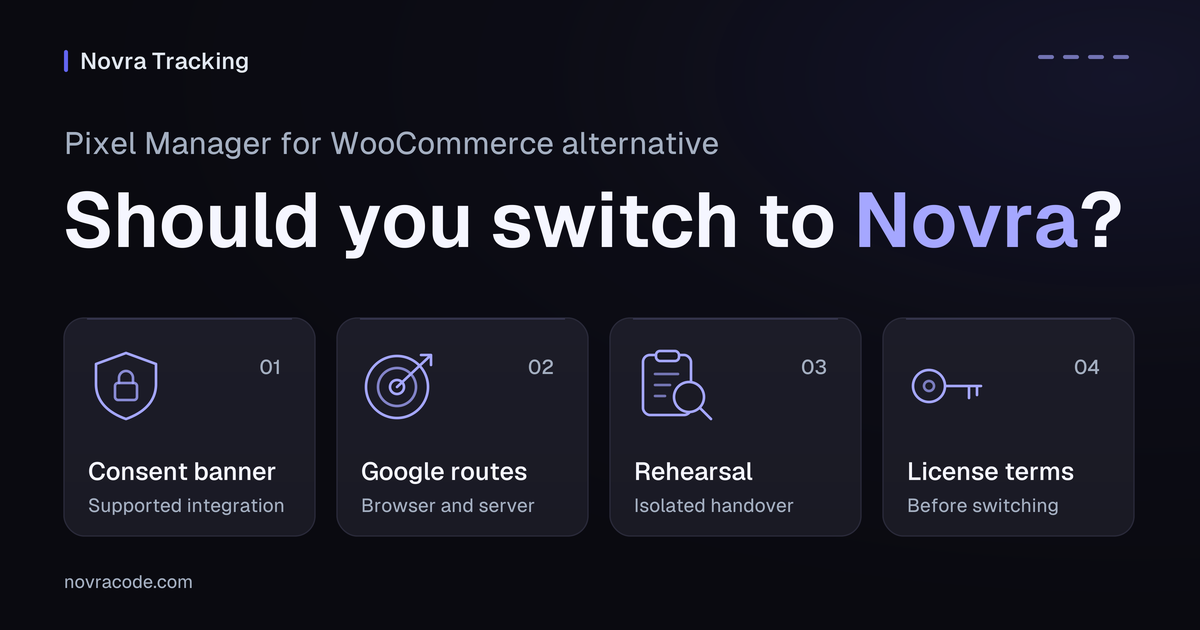
Novra Tracking is a Pixel Manager for WooCommerce alternative worth checking when you want its documented banner integrations or a one-time license. It also supports FluentCart and SureCart alongside WooCommerce. Keep Pixel Manager if its existing Google Ads, recovery and consent setup already meets your requirements.
The useful comparison starts with what your store sends today. Review Novra Tracking’s supported shops and platform routes, then check the measurement details below before planning a switch.
Documentation checked on October 5, 2026, Dubai time. No tracking tests or performance benchmarks were run for this comparison.
Identify your Pixel Manager edition
This article compares Novra with Pixel Manager for WooCommerce by SweetCode. It is not PixelYourSite, which is a different WordPress plugin.
Pixel Manager’s free edition already includes browser tags for Google Ads, GA4, Meta and several other platforms. It also lists Google Ads dynamic remarketing, cart item data and a Payment Gateway Accuracy Report.
Its Pro features include supported server connections, Google Ads Enhanced Conversions, conversion adjustments and Automatic Conversion Recovery. Enhanced Conversions use customer data to improve conversion matching. Automatic Conversion Recovery, or ACR, attempts to recover missed purchases when the customer returns.
Neither gateway diagnostics nor Google Ads browser tracking is a reason, by itself, to replace Pixel Manager. Its Free and Pro feature matrix already lists them. Compare the exact edition and enabled routes, not a generic “free versus paid” label.
When Novra solves a specific fit problem
Keep a supported consent banner
A consent management platform, or CMP, is the tool that collects a visitor’s privacy choices. Changing your tracking plugin does not mean you must replace that tool.
SweetCode’s current supported CMP documentation says direct support for Borlabs Cookie and Real Cookie Banner has been removed. Novra’s documentation names Borlabs Cookie and supports the WP Consent API, with Real Cookie Banner given as an example.
If retaining that banner matters, Novra offers a documented integration path worth evaluating. Check the banner’s actual version, consent categories and selected mode. A listed integration is not proof that your particular configuration works or meets a legal requirement.
Novra’s Basic mode waits for consent before loading tags. Its Advanced mode can let Google send cookieless signals. Cookieless does not mean no data is sent. Review consent requirements separately for each server destination; neither plugin supplies the banner itself.
Use one product across supported shops
Pixel Manager is designed for WooCommerce. Novra documents WooCommerce, FluentCart and SureCart integrations. That makes Novra relevant if you manage separate sites with different supported shop systems.
For example, a business might keep its physical-goods shop on WooCommerce and run a second store on FluentCart. Assessing Novra for both is a reasonable next step. This is a hypothetical use case, not a tested migration or a claim of identical features across shops.
The Novra Tracking shop and platform documentation explains the differences. It lists WordPress 6.4+, PHP 8.0+ and minimum versions for each supported shop. Your platform accounts, consent setup and supported event routes still matter.
Compare how purchases reach Google
A browser tag sends an event from the visitor’s browser. A server connection sends it from your website. Neither route guarantees that a platform will credit a sale to an advertisement.
| Decision point | Pixel Manager | Novra Tracking |
|---|---|---|
| Native Google Ads purchases | Browser purchase tracking is available free. Enhanced Conversions and adjustment feeds are Pro features. | Documents browser purchases, optional Enhanced Conversions and recovery on a later page view. There is no server-side Google Ads purchase copy. |
| GA4 server purchases | Pro supports Measurement Protocol, Google’s server event interface, configured with an API secret. | Documents a server fallback 30 minutes after payment when the browser has not confirmed its purchase hit. It also needs a GA4 API secret. |
| A buyer misses the confirmation page | Pro’s ACR depends on a return visit in the same browser, within its documented recovery window. | Google Ads recovery also needs a later page view. Supported server destinations have separate purchase routes and eligibility limits. |
| Refunds | Pro documents server-side GA4 refunds and a Google Ads adjustment feed. | Documents full and partial GA4 refunds and cancellations, plus a separate Google Ads correction feed. |
| Duplicate purchases | Free includes basic order-duplication protection; Pro adds advanced protection. | Documents order markers, browser checks and platform-specific browser/server pairing. None of these coordinates an unrelated second sender automatically. |
SweetCode’s detailed ACR guide distinguishes recovery from reporting. The report is generated nightly. Recovery requires the customer to revisit in the same browser, within 90 days, while the order is paid. Failed, cancelled, refunded and on-hold orders are excluded from that recovery.
A nightly report is not a promise of nightly server-side Google Ads purchases. Do not replace a functioning Pro recovery setup based on that misunderstanding.
Likewise, a gateway report is a diagnostic, not proof of attributed sales. Pixel Manager’s diagnostics documentation explains that a green order checkmark does not prove the request reached the platform or received attribution. Novra also distinguishes local delivery information from its optional GA4 Data API receipt check.
Preserve your Google Ads measurement contract
Before comparing settings screens, write down what one purchase means in your reports. These details should survive a plugin change:
- The destination: the Google Ads conversion ID and label, plus the separate GA4 property and web stream.
- The event owner: which integration sends each purchase, refund and remarketing event.
- The value: currency and the treatment of tax, shipping, fees and discounts.
- The product identity: product or variation IDs, including any prefix required by the product feed.
- The counting rule: order state, transaction identifier, consent category and any delayed-payment or renewal behavior.
A native Google Ads conversion and a GA4 purchase are different destinations. Do not silently replace one with the other, change advertising goals or add a second purchase action during the migration.
Keep product feeds separate from tracking
SweetCode’s Google Ads integration guide documents cooperation with Google for WooCommerce. Pixel Manager suppresses that plugin’s Google Ads tracking when Pixel Manager’s own Ads tracking is active.
Google for WooCommerce still owns the Merchant Center connection, product-feed sync and campaign management. Pixel Manager does not take over those jobs.
Review this suppression before removing Pixel Manager. Do not assume it survives the switch or that Novra’s controls have identical scope. Keep the feed integration if you need it, while giving each tracking event one owner. Product IDs sent with events must still match that feed.
Plan an isolated rehearsal and handover
Inventory every sender before enabling Novra. Include Pixel Manager, Google for WooCommerce, Google Tag Manager, other platform plugins, theme snippets and refund schedules. Record who supplies consent defaults and updates, not just the banner’s name.
Any event-generating rehearsal needs separate test properties and platform sources. Disconnect them from production bidding, remarketing audiences and automated flows. A private window, a test payment and made-up customer details do not isolate the destination.
The following are proposed checks, not tests we performed:
- Inspect the normal purchase. In the isolated environment, confirm the intended Google Ads and GA4 routes separately. Compare value, currency, product IDs and transaction identifiers with your written contract.
- Inspect refusal and withdrawal. Check the selected consent behavior, including server destinations. Do not copy a similarly named mode and assume the defaults are equivalent.
- Inspect delayed payment and missed return. Start with an unpaid test order, then its paid state. Distinguish a supported server purchase from browser recovery that needs another visit.
- Inspect duplicate and refund behavior. Revisit the test confirmation page, then assess a refund through the supported route. Keep duplicate protection enabled; disabling it would change the behavior you are evaluating.
Both products document browser debugging. Server-only events need their server-side evidence too. SweetCode’s GA4 refund documentation explains why a refund need not appear in the browser console. A successful request is not, by itself, proof that Analytics matched the original purchase.
If test destinations cannot be isolated, stop at read-only settings and source review. Do not run both production senders for a side-by-side experiment.
For cutover, save the old settings and mappings, choose a controlled window and disable the outgoing route before enabling its replacement. Review queued events and scheduled refund imports. For rollback, stop the new route before restoring the old owner and its consent settings. Do not resend historical orders merely because a report looks incomplete.
Compare license obligations before switching
As checked on October 5, 2026, SweetCode offers monthly and annual Pro subscriptions. Its displayed annual plans cover 1, 5, 10 or 25 active websites, with updates and support. Its free edition remains a separate option.
SweetCode’s license-management guide says premium features are disabled when the license expires or is not activated. Its purchase terms describe automatic renewal and cancellation at the end of the paid period. The 30-day refund guarantee covers the original purchase, not ordinary renewal payments.
Novra’s license terms offer a one-time purchase for 1, 5, 25 or unlimited sites you own or manage. Novra sells to businesses and self-employed professionals. Updates require a valid license; its documentation says configured tracking continues without an active one. Keys cannot be shared or resold.
Compare your actual renewal amount, taxes and required site count before deciding. Public plan prices are not a complete quote for your situation. Neither a one-time license nor a subscription proves that one plugin will recover more sales.
Make the replacement decision
Shortlist Novra if its documented banner support, multi-shop fit or one-time licensing solves a specific problem for your business. Keep Pixel Manager when its existing free features or Pro recovery workflow meet your needs.
Choose the documented fit, then verify the handover. Review Novra Tracking’s features and site-count plans against your event inventory. Direct purchases carry Novra’s 30-day refund policy; use the terms and the isolated checks to make an informed decision.