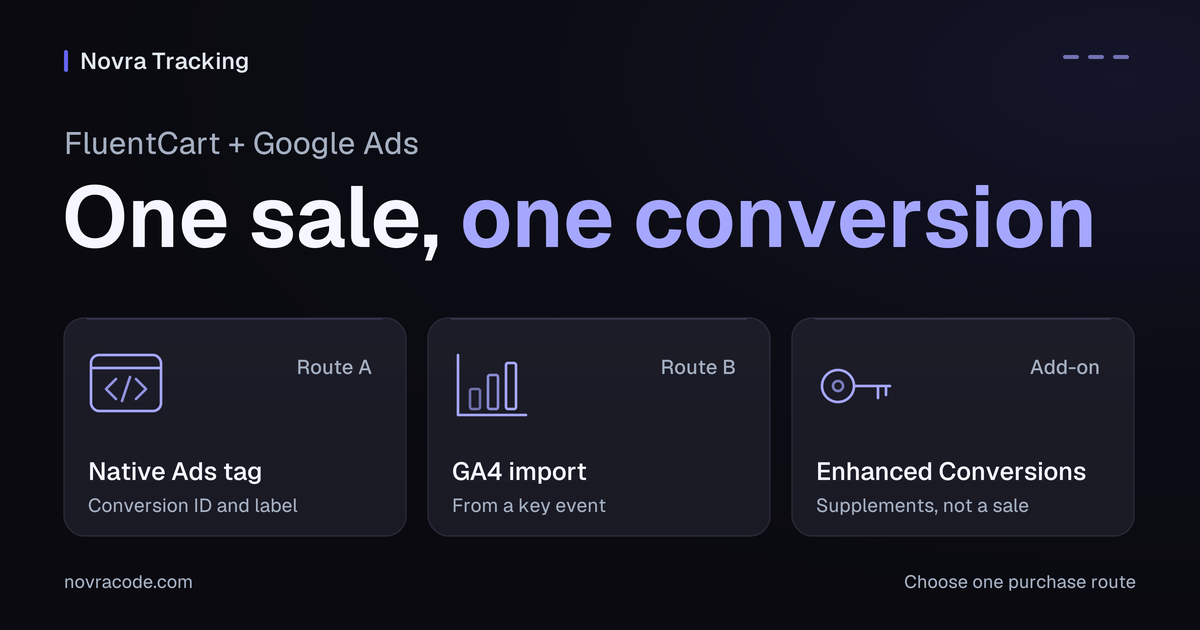
FluentCart Google Ads conversion tracking should report a paid order to one intended purchase action. With Novra Tracking, the publicly documented setup uses a browser conversion tag. You can instead create an Ads conversion from a verified GA4 key event. These are different routes, not two purchases.
Novra Tracking’s FluentCart integration connects supported shop events to Google Ads from WordPress. It can provide order value, currency and a transaction identifier. Enhanced Conversions and missed-receipt recovery are additional features with their own requirements.
Choose one purchase route
A conversion action tells Google Ads which outcome you want to measure. For this guide, that outcome is an eligible paid FluentCart order. A checkout start or pending order is not the same outcome.
| Route | How the purchase reaches Ads | What to prepare |
|---|---|---|
| Native website conversion | Novra’s browser integration sends the purchase to the configured Ads action. | The correct conversion ID, conversion label, consent setup and purchase fields. |
| GA4-based conversion | Google Ads receives conversion data from a linked Analytics event or key event. | Verified GA4 ecommerce, linked accounts, required access and the applicable Google setup. |
| Enhanced Conversions for web | Selected customer information supplements an existing conversion for matching. | A working base conversion, permitted data use and correctly configured account and plugin settings. |
Do not make two representations of the same purchase competing primary goals. Choose the intended bidding route with your account owner. Google’s primary and secondary conversion guidance explains the distinction. Secondary actions can still affect bidding when included in a custom goal.
Do not change active campaign goals merely to finish a plugin setup. Record the chosen action, sender and value definition before making an approved account change.
Prepare FluentCart and your Ads account
- Novra’s version 1.0.0 documentation lists WordPress 6.4+, PHP 8.0+ and FluentCart 1.6+. Confirm your installed release’s requirements.
- Use the Ads account your business controls. Have its owner confirm your permissions and the intended website purchase action.
- List existing Ads tags from plugins, theme code and Google Tag Manager. One integration should own each event and destination.
- Confirm the cookie banner’s marketing permission and who manages Google’s consent signals.
- List normal, modal and instant checkouts, plus gateways that leave your website for payment.
Novra documents these FluentCart checkout routes, but that does not verify every custom gateway or theme. Plan the first configuration and purchase checks in an isolated test store and measurement setup.
Connect the native Google Ads tag
- Confirm the purchase action in Google Ads. Use Google’s website conversion setup instructions. Select the intended website purchase action, or have the account owner create it.
- Get the correct identifiers. The conversion ID starts with
AW-. The conversion label identifies the action. Neither is a GA4G-measurement ID. - Open Novra’s Google Ads settings. In WordPress, go to Novra Tracking → Settings → Platforms → Search & Shopping → Google Ads.
- Enable the connection. Enter the conversion ID and purchase label, then save. Review Shop & Events under Store for your FluentCart event scope.
- Check consent. Open Privacy → Consent. In Basic mode, Google Ads waits for marketing permission. Server features do not provide a reason to bypass that choice.
- Review readiness. Read the dashboard recommendations. A saved ID or ready indicator does not prove a purchase was processed.
The Novra platform-connection guide covers the settings structure. Google Tag Manager is not required for this connection. Preserve unrelated tags when arranging a handover from an existing integration.
Use GA4 imports without counting another sale
If you already rely on a verified GA4 purchase, an Analytics-based Ads conversion may suit your measurement plan. It is not configured by pasting the GA4 measurement ID into Novra’s Google Ads fields.
Google’s GA4-to-Google-Ads conversion instructions require linked accounts and auto-tagging. Its setup prerequisites include Administrator or Editor access on the Google Analytics property. The separate Analytics import workflow requires at least Marketer access. Have the account owner verify the permissions for the step you need.
- Verify that GA4 receives the intended purchase, transaction ID and value correctly.
- Confirm the Analytics property is linked to the intended Ads account and the documented prerequisites are met.
- Select the intended Analytics event or key event for the conversion-creation workflow.
- Review its source, goal membership and primary or secondary role before using it for bidding.
Google may set Analytics-based actions to secondary to avoid duplicate bidding signals. Check the actual account; do not assume the imported action replaced your native tag. Also verify the GA4 revenue definition before importing it.
Keep Enhanced Conversions and server uploads separate
Enhanced Conversions supplements conversion measurement with selected customer information transformed into matching codes. Google’s Enhanced Conversions overview distinguishes website conversions from offline lead conversions.
Novra documents optional Enhanced Conversions for its browser purchase route. Use it only after the base purchase works and the relevant account settings, consent and permitted data use are established. Hashing does not make personal information anonymous.
A browser purchase with Enhanced Conversions is not proof of a server purchase upload. Novra’s public platform guide describes missed-receipt recovery on a later visitor page view, plus a separate refund correction feed. Neither establishes a server-sent purchase.
If your version offers Google Ads server uploads, confirm its release-specific setup and Google’s account eligibility before selecting that route. The browser steps in this guide do not configure or verify uploads. Do not infer support from a refund feature or another platform’s server connection.
Define the paid order and its value
Use payment evidence, not a URL visit, as the purchase boundary. FluentCart’s payment-status definitions distinguish paid, pending, partially paid and authorized orders. Novra’s FluentCart receipt route requires a paid, non-renewal order for a new browser purchase.
Check the conversion-value option in your installed version. Novra’s source distinguishes order total, products after discounts and profit margin. Profit margin needs cost-of-goods data; without it, the source calculation falls back to products value. Choose a measure you can explain and reconcile.
Hypothetical example: discounted products cost USD 60, tax is USD 6 and shipping is USD 5. Order total is USD 71. A products-only value is USD 60. Neither number should silently replace the other.
Verify value, currency and the transaction identifier against that definition. Novra’s FluentCart adapter uses the invoice number when available, otherwise the internal order ID. Keep the identifier stable for that purchase and distinct from other orders.
A refund feed is a later correction path, not initial purchase delivery. Check its supported adjustment behavior separately. Subscription renewals also need their own measurement plan; do not assume they become new purchase conversions.
Verify your checkout and recovery path
Arrange checks in a separate test store with destinations kept out of production campaign use. If that isolation is unavailable, postpone purchase testing. A private browser window or payment-provider test mode alone does not isolate advertising reports.
| Check | Evidence to inspect | What it does not prove |
|---|---|---|
| Normal paid checkout | The correct action receives the expected transaction ID, value and currency. | A tag appearing on the site does not prove a processed conversion. |
| Modal or instant checkout | The same purchase definition and destination apply to the actual route. | A successful normal checkout does not cover these paths. |
| Payment redirect without receipt return | Inspect the documented browser recovery after the visitor returns for a later page view. | No return visit means this recovery route has not been demonstrated. |
| Receipt reopened | The same order does not create an additional distinct conversion. | A matching value alone is not duplicate prevention. |
| Marketing consent refused | The configured consent behavior is respected. | Consent detection alone does not prove the visitor’s choice reached the tag. |
Use Google Ads’ current diagnostics to inspect the selected action. Novra’s synthetic test-purchase tool does not test this browser Ads purchase route. A sent event, platform receipt, counted conversion and ad attribution are different checks.
Attribution assigns credit to an ad interaction. A shop order may be valid without being credited to Google Ads. The Novra Tracking accuracy FAQ explains why these totals need not match.
For a WordPress-managed FluentCart connection, compare Novra Tracking’s supported routes and plans. Choose the route first, then verify the action and value before relying on campaign reports.