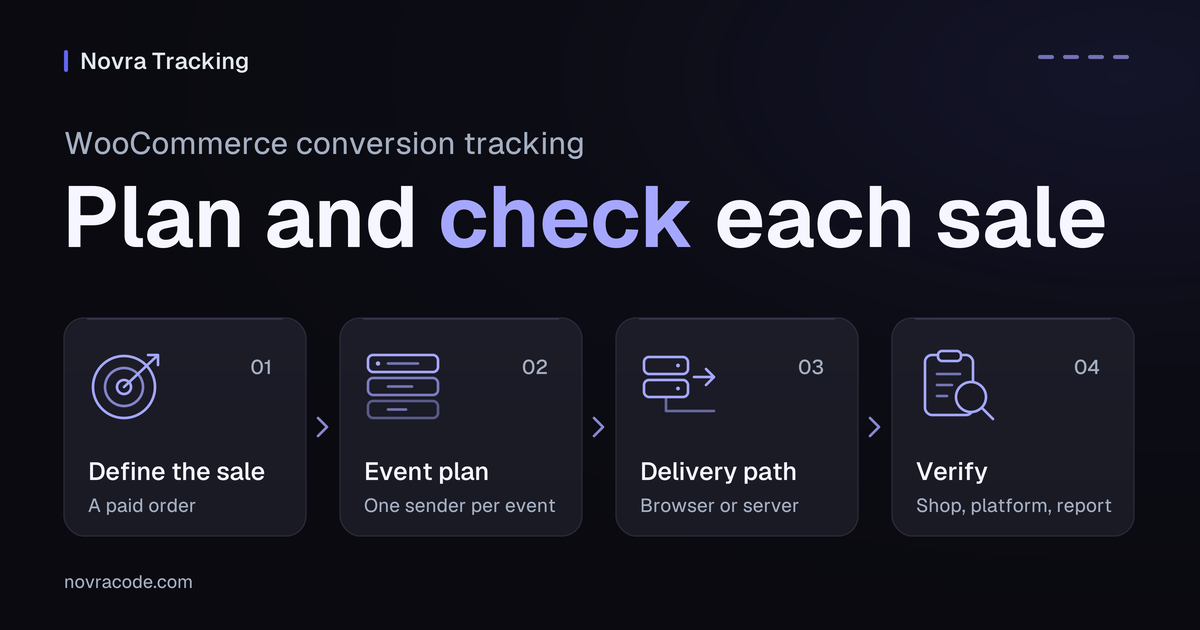
WooCommerce conversion tracking connects shop actions to your analytics or ad platform. Start with one clearly defined purchase, its value and currency, and a stable order identifier. Then check that the intended destination records the sale once. A checkout visit is not proof of payment, and a sent event is not proof of ad attribution.
Novra Tracking for WordPress and WooCommerce connects supported shop events to the platforms you choose. Its dashboard helps you inspect purchase delivery by payment method. Use the plan below to decide what to measure before you connect accounts or add more tags.
Define the sale you want to measure
An event records an action, such as adding an item to a cart. A conversion is an action you value, such as a purchase or a lead. For this shop plan, the main outcome is a paid order. Cart and checkout events explain the steps before that outcome.
Do not count an order merely because a customer reached a confirmation page. WooCommerce distinguishes pending payment, payment received and fulfillment. Its order-status documentation explains those differences. Check how your payment gateway confirms payment, especially when it sends customers to another site.
Also choose the destination. GA4, Google’s analytics service, helps you understand activity on your site. An ad platform uses conversion data for its own reporting and campaign decisions. Attribution means assigning credit to an ad or another marketing interaction. It is a separate question from whether the shop received payment.
Write a small event plan
Begin with the four shopping actions below. Add the refund check if you use GA4 revenue reports. These are GA4 event names, not a promise that every advertising platform uses the same names or supports the same events.
| Shop action | GA4 event | What to check | What it tells you |
|---|---|---|---|
| A shopper views a product. | view_item |
The event identifies the product being viewed. | Product interest, not a sale. |
| A shopper adds a product to the cart. | add_to_cart |
The item and added quantity describe the cart action. | A step toward buying, not payment. |
| A shopper starts checkout. | begin_checkout |
The event represents starting checkout, not merely viewing any page. | Checkout activity before the purchase. |
| The order meets your purchase definition. | purchase |
Check the order identifier, items, value and currency against the paid order. | The sale you intend to measure. |
| A paid order is refunded. | refund |
Check the original transaction identifier and the refunded amount or items. | A correction to revenue, not another purchase. |
Write down which plugin or tag sends each event to each destination. Also note which account or data stream should receive it. A data stream is the website’s incoming data connection inside a GA4 property. This short record helps you spot two integrations trying to report the same purchase.
Check value with a worked example
Hypothetical example, not a Novra test result: a paid order contains two items priced at USD 30 each after discounts. Tax is USD 6, and shipping is USD 5. The amount charged is USD 71.
For GA4’s purchase event definition, the item-based value is 60 and currency is USD. Tax and shipping are separate fields. Do not treat the full amount charged as the same revenue measure without checking the report’s definition.
That example explains what to check; it does not claim a verified default for your installed plugin. Inspect the data your actual integration produces, including discounts and currency. Use a unique, non-personal order reference for transaction_id. Do not reuse an example ID across real purchases.
Match the plan to Novra Tracking
Novra Tracking documents support for WooCommerce’s classic and block carts and checkouts, plus its newer order storage, HPOS. Custom thank-you pages need the order key in their address. Subscription renewals are documented separately from new purchases. These features do not verify every theme, gateway or extension combination.
For a WooCommerce setup, you need WordPress 6.4+, PHP 8.0+ and WooCommerce 8.0+. You also need your own accounts at the platforms you choose. Novra Tracking does not create those accounts or your advertising campaigns.
- Check the shop and event scope. In WordPress, open Novra Tracking → Settings. The Store group contains Shop & Events. Match the supported shop actions to your written plan.
- Choose one destination to start. In Settings, select its platform section and provide the required account details. GA4 uses a measurement ID. Google Ads needs a conversion ID and label. Meta uses a pixel ID.
- Check consent before relying on delivery. Open the Consent section under Privacy. Confirm the detected cookie banner and the intended statistics or marketing permission.
- Review the dashboard. Open Novra Tracking → Dashboard and inspect its recommendations. A setup score helps find missing configuration; it does not prove that a purchase reached an external report.
Choose the right delivery path
Browser tracking sends events through a script in the visitor’s browser. Server tracking sends supported events from your website’s server. Novra Tracking does not use the same purchase route for every destination.
| Destination | Documented Novra purchase route | Important boundary |
|---|---|---|
| GA4 | Browser events, with a server fallback 30 minutes after payment when the browser did not confirm its purchase hit. | The server route needs the GA4 data stream’s API secret. It is not an immediate second copy of every purchase. |
| Google Ads | Browser purchase conversions. A missed thank-you-page purchase can be recovered on the visitor’s next page view. | Novra Tracking documents no server-side Google Ads purchase copy. Its refund correction feed is a separate feature. |
| Meta | Browser Pixel events and an optional server purchase through the Conversions API. | The server option needs an access token and the marketing consent recorded at checkout. Novra limits this copy to orders paid within 47 hours. |
The platform-by-platform delivery guide explains the other destinations. Some are browser-only. Platform-specific time windows and account requirements still apply; a server route does not remove them.
Keep consent and duplicate controls separate
In Novra Tracking’s default Basic mode, nothing loads or sends before the required consent. Server purchases follow the choice recorded at checkout. The plugin reads a supported cookie banner; it does not replace one or certify legal compliance.
Advanced mode behaves differently. Google tags can send measurements without cookies while consent is denied, as Google’s consent-mode documentation explains. Do not describe this as no data being sent, or as a reason to bypass a visitor’s choice.
For duplicates, assign one integration to each event and destination. That integration may intentionally manage both browser and server delivery. Before adding Novra Tracking, identify existing tags from another plugin, your theme or Google Tag Manager. Do not add another sender just because a report looks incomplete.
Novra Tracking documents a dashboard check for conflicting Google tags. That check is not proof that every possible duplicate on every platform has been found. Google Tag Manager is optional; its presence alone does not tell you whether a purchase tag is firing.
- GA4: Google’s transaction-ID guidance uses a unique transaction identifier to deduplicate purchases in web streams. An empty or reused identifier can undercount sales.
- Meta: its browser/server deduplication guidance requires matching event names and IDs for corresponding events. The events must reach the same Pixel ID within the supported window.
Those are destination-specific rules. A shared identifier is not a guarantee that any two tracking plugins, accounts or transport methods will deduplicate each other.
Verify three different things
When you implement the plan, arrange a controlled checkout check using appropriate test destinations. Keep test activity separate from campaign results. Novra excludes administrators and shop managers from normal tracking by default, so an admin visit does not represent an ordinary customer’s visit.
- The shop action happened. Check the product action or paid order, its value, currency and identifier. Record the consent state and payment method as part of the check.
- The intended event reached the intended platform. Compare the event details in the destination’s diagnostic tools. Check one order across the configured delivery paths, including any documented delay.
- The report means what you think it means. Confirm which revenue measure and attribution rules the report uses. Event receipt, a counted purchase and credit given to an ad are different outcomes.
The Novra dashboard’s payment-method table separates orders that reached the thank-you page, were sent from the server, were recovered later or were not sent. Its optional GA4 Data API connection adds destination-side order checks and requires separate read access. A sent status alone does not establish correct revenue or attribution.
Understand what a test can prove
Novra’s testing documentation describes debug mode under Settings → Advanced and a test-purchase tool under Settings → Tools. The tool sends a synthetic request; it does not place a WooCommerce order or test your whole checkout.
A successful validation response is not proof of a counted sale. Google’s validation endpoint does not add events to reports and does not validate the API secret. Novra’s tool also sends nothing to Google Ads.
Even outside validation mode, Google’s Measurement Protocol reference says an HTTP success response confirms receipt, not that the event data was correct or processed. Keep transport, event validation and reporting checks separate.
If numbers differ, first compare the same dates, currency and purchase definition. Then check consent, the selected account and each documented delivery route. The Novra Tracking numbers and accuracy FAQ explains why a shop total and an ad-attributed total need not match.
Decide whether the setup fits
Novra Tracking is a relevant option when you want supported WooCommerce events and platform connections managed in one WordPress plugin. You still own the measurement plan, platform accounts and final verification.
- Your checkout, payment behavior and required destination are covered by the documented integration.
- You know which events matter and which integration sends each one.
- You have a suitable cookie banner and understand what happens before and after consent.
- You can distinguish a connection check from a verified order in the destination.
This setup does not provide server-side Google Ads purchase uploads. A shop platform outside Novra’s documented integrations is also not covered. Nor can it guarantee ad-report totals. Resolve these mismatches before buying or changing your tracking.
Ready to compare the fit? Review Novra Tracking’s plans for your website count. The plans use a one-time payment, with a 30-day money-back guarantee. Check your required delivery route before choosing a plan.