To set up WordPress Microsoft Clarity, pick one integration: Microsoft’s free Clarity plugin, the manual tracking code or a tracking plugin such as Novra Tracking. Then pass your visitors’ consent choices to Clarity, review masking and confirm that data arrives. Clarity is a free Microsoft tool for heatmaps and session recordings. It shows how people use your pages; it does not measure ad conversions.
This guide covers all three routes, the consent rules Microsoft now enforces, the privacy settings worth checking and the limits you should know before you trust the recordings.
Choose your Clarity setup route
All three routes load the same Clarity tag in the visitor’s browser. They differ in how consent and privacy are handled.
| Route | When it fits | What you handle yourself |
|---|---|---|
| Microsoft Clarity plugin | You only want Clarity and like seeing its dashboard inside WordPress. | Passing consent through a supported cookie banner, plus masking checks. |
| Manual tracking code | You or your developer already manage scripts in the site’s <head>. |
Consent calls from your banner, theme updates and masking checks. |
| Novra Tracking | You run ads or a shop and want Clarity next to your other platforms, with one consent setup. | Choosing a supported banner and checking masking on your own pages. |
If Clarity is the only tool you need, Microsoft’s plugin is a reasonable choice and costs nothing. A broader tracking plugin pays off when you also send data to Google, Meta or other ad platforms.
Let only one source load Clarity. Check the Clarity plugin, Google Tag Manager, theme header snippets and other tracking plugins. Microsoft Ads can load Clarity too: a UET tag with Clarity enabled (UET is the Microsoft Ads tracking tag) starts Clarity on its own. Remove the extra sources before you switch routes.
Before you start
- A WordPress account that can install and configure plugins.
- A Clarity account and one project for your website. A project is the container in Clarity that receives your site’s data.
- A cookie banner, also called a consent management platform (CMP), if visitors from regions with consent rules reach your site.
- Clarity admin rights for the project, because only admins can change masking.
- For Novra Tracking: WordPress 6.4 or later and PHP 8.0 or later. A shop is optional.
Microsoft says Clarity should not be used on websites or apps aimed at people under 18. No plugin setting changes that rule.
Set up Clarity with Novra Tracking
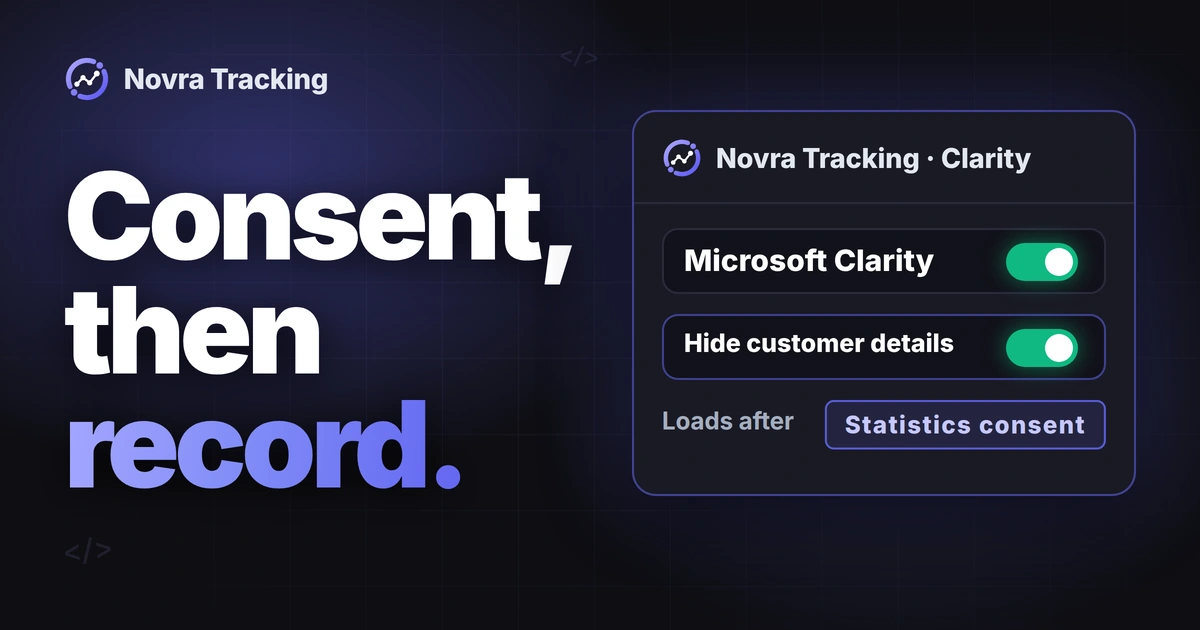
Novra Tracking connects WordPress to 20 tracking platforms, and Microsoft Clarity is one of them. Clarity runs only in the browser: nothing is sent to Clarity from your server. According to the product page and docs, Clarity loads only after statistics consent, and customer details are hidden in recordings by default.
- Copy your project ID. In Clarity, open your project, then Settings → Setup. The ID is a short code of letters and digits. Do not use a Microsoft Ads UET tag ID, which contains only digits.
- Remove other Clarity sources. Deactivate the Clarity plugin or delete hard-coded snippets. If you use Microsoft Ads, switch off Clarity in your UET tag.
- Connect your cookie banner. In Novra Tracking, the consent mode Basic is the default. Check that your banner shows as detected and reports a “statistics” choice.
- Enable Microsoft Clarity. Open its section under Settings, paste the project ID and switch it on.
- Keep “Hide customer details in recordings” on. If your version shows “Share with Microsoft Ads”, leave it off unless you want Clarity data used for Microsoft Ads.
- Save and clear your page cache. If you use a CDN such as Cloudflare, purge it as well.
The Novra Tracking consent guide in the docs lists the supported banners. A custom banner can pass its choice through a short JavaScript call described there.
With a shop or without one
Clarity works the same way on a blog, a lead site or a store. The difference is in what Novra adds around it:
- With WooCommerce, FluentCart or SureCart: Novra hides customer details in recordings by default, for example on the checkout, the order confirmation and the account page. Watch a test recording to confirm what is masked on your own shop pages.
- Without a shop: there are no shop pages to mask, so Novra adds no extra masking. Clarity’s own masking settings protect your forms and pages. Check them as described below.
Feature names can differ by version. If a setting looks different on your site, compare it with the docs for your installed version.
Other ways to add Clarity
Use the Microsoft Clarity plugin
In WordPress, go to Plugins → Add New Plugin and search for Microsoft Clarity. Install and activate it, open Clarity from the menu and sign in. Choose an existing project or create a new one. Microsoft’s WordPress instructions describe these steps.
Those instructions do not cover consent. Consent comes from your cookie banner. Microsoft lists banners that pass consent to Clarity automatically, including Cookiebot, CookieYes, Real Cookie Banner and the WP Consent API plugin. The plugin’s WordPress.org page shows its current version and changelog.
Add the tracking code manually
In Clarity, open Settings → Setup, choose “Install manually” and copy the tracking code into your site’s <head>. Use a child theme or a header plugin, so a theme update does not remove it. You then need to send consent yourself, as described in the next section.
Handle consent correctly
Since October 31, 2025, Microsoft enforces consent signals for visits from the European Economic Area, the UK and Switzerland. Without a valid signal, Clarity features for those visits are limited. A US site still receives such visits.
How Clarity reads consent
Clarity knows two consent types. analytics_Storage controls cookies for analytics. ad_Storage controls whether Clarity shares data with Microsoft Ads. You pass them in one of these ways, according to Microsoft’s consent management guide:
- A supported cookie banner that sends the signal automatically.
- The Clarity Consent API, a JavaScript call your banner makes after each choice.
- Google Consent Mode, which Clarity reads automatically if your site already uses it.
The current call is consentv2. Microsoft’s Consent API v2 reference marks the older call for deprecation. Here is the example of a visitor who allows analytics but not advertising:
window.clarity('consentv2', {
  ad_Storage: "denied",
  analytics_Storage: "granted"
});
Denied consent does not mean no data. When analytics consent is denied, the Clarity tag can still load and collect without cookies. Each page view then counts as its own session. Funnels show full drop-off and returning visitors look new.
What Novra Tracking sends to Clarity
Novra takes a stricter path. In Basic and Advanced mode, the Clarity tag waits for statistics consent and does not run cookieless before it. Once loaded, the plugin passes the visitor’s choice to Clarity through the Consent API:
| Visitor choice | Expected result with Novra Tracking |
|---|---|
| No choice yet, or statistics denied | The Clarity tag does not load. |
| Statistics allowed | Clarity loads with analytics consent granted. Advertising consent stays denied. |
| Statistics and marketing allowed, “Share with Microsoft Ads” on | Advertising consent is granted as well. |
| Statistics consent withdrawn | Clarity receives a denial and stops on that page. Its cookies are removed where the site can remove them. The next page loads no tag. |
The consent mode Off skips all of this and loads Clarity without any consent signal. Use Off only if no consent is needed for your visitors, not as a test shortcut. If you want the full picture of banners, consent signals and checks, read our guide to Consent Mode v2 in WordPress.
No plugin replaces a cookie banner or legal advice. Ask your legal adviser which consent model fits your visitors.
Check privacy and masking
Masking replaces content with placeholder characters before it leaves the browser. Masked content is not uploaded to Clarity. In Clarity, go to Settings → Masking. Microsoft’s masking documentation describes three modes:
- Balanced (default): masks content Clarity classifies as sensitive, such as numbers and email addresses.
- Strict: masks all content.
- Relaxed: masks no content except input boxes and dropdowns.
Input boxes and dropdowns are masked in all three modes. You can also mask or unmask single elements with CSS selectors, or add the attribute data-clarity-mask="true" to an element in your theme.
Balanced does not know your page. A name, a message or an order note shown as plain text may stay visible. Pay attention to these spots:
- Thank-you pages that repeat what a visitor typed into a form.
- Account pages, order summaries and checkout address blocks.
- Content that appears later, for example after a click or in a popup.
- Sensitive data in page titles or URLs. Clarity does not mask content inside style sheets either.
Masking changes apply only to new recordings and can take up to one hour to show. Earlier recordings stay as they are. If a page cannot be protected well enough, keep Clarity off that page.
Check that Clarity collects data
This is a suggested test plan, not a report of tests we ran on your site. Use dummy data, not real customer details.
- Test as a visitor. Novra Tracking excludes administrators and shop managers by default. Use a private browser window, which logs you out, or change the excluded roles.
- Accept statistics in your banner. Then open the browser’s developer tools and the Network tab.
- Look for the tag and the data. You should see the Clarity script load and POST requests to
clarity.ms/collectwhile you scroll and click. Microsoft describes this in its installation check. - Check live data. Clarity shows current visitors on the project dashboard as soon as the tag runs. Make sure it is the right project.
- Check the consent state. Microsoft offers a console command in its consent verification steps. It should show
GRANTEDfor analytics after you accept. - Repeat with consent denied. With Novra Tracking, the Clarity script should not load at all. With other routes, check that no
_clckor_clskcookie is set. - Watch your own test session. Confirm that the dummy names, emails and addresses appear masked.
With Novra Tracking, adding ?nvtr_debug=1 to a page address logs each Clarity call in the browser console. Add ?nvtr_debug=0 to end it.
Fix common Clarity problems
| What you see | What to check |
|---|---|
| No Clarity script after you accept | Project ID, enabled switch, banner detection, logged-in role and page cache. Check whether “load tracking on first interaction” is on. |
| Script loads, but the dashboard stays empty | The project ID points to another project, or a blocker stops the collect requests. |
| Clarity runs before any consent | A second source, such as the Clarity plugin, a snippet, Tag Manager or a Clarity-enabled UET tag. |
| Each session has one page only | Clarity runs without cookie consent. Check the consent signal for that visit. |
| Dummy details visible in a recording | Masking mode, unmask rules and text that repeats form input. Pause collection on that page until it is fixed. |
| Clarity and ad reports disagree | Expected. Clarity is not ad attribution. Check your ad tracking separately. |
For Microsoft Ads purchases, see our WooCommerce Microsoft Ads conversion tracking guide. That is a separate tag with separate checks.
Limits of Microsoft Clarity
- Recordings are reconstructions, not videos. Clarity rebuilds the page from its HTML and the visitor’s actions.
- Clarity cannot capture content inside canvas elements or third-party iframes. Embedded payment fields may look empty.
- Clarity tracks all sessions, but recordings may not be available for all of them. It records up to 100,000 sessions per project per day.
- Recordings are kept for 30 days. After that, only favorites and a small sample remain, for up to nine months.
- With Novra Tracking, visitors who do not allow statistics are missing from Clarity. Visitors with blockers can be missing on any route.
- Heatmaps show where people click and scroll. They do not explain why. Treat what you see as a hypothesis to test.
- Clarity has no server connection in Novra Tracking. It does not recover lost conversions or send purchases to ad platforms.
Example: a mobile scroll map shows that few visitors reach your shipping details. You might move that information higher and compare the result later. The heatmap does not prove that the change will raise sales.
FAQ
Is Microsoft Clarity free on WordPress?
Yes. Clarity and its WordPress plugin are free. A tracking plugin like Novra Tracking is a paid product that manages Clarity together with other platforms.
Can I use the Clarity plugin and Novra Tracking together?
Use only one of them to load Clarity. Two sources can load the tag twice or start it before consent.
Does Clarity slow down my site?
Microsoft says Clarity is built not to get in the way of site performance. Novra Tracking can also start tracking scripts after the first scroll, tap or click. The trade-off: visitors who leave without touching the page are not counted.
If you already track ads or a shop, Novra Tracking adds Clarity with consent handling and masking in one plugin. It is a one-time payment with a 30-day money-back guarantee. The setup and compatibility FAQ answers common questions before you buy.